
Table of Contents
Most small companies install human resource software expecting a simple employee directory, a time clock, and a reliable leave calendar. What they get instead is a sprawling ERP suite. It demands dozens of database tables, multiple paid add-ons, and recurring monthly fees that scale relentlessly with employee headcount. It is completely unnecessary.
For years, WP ERP was the default choice for running internal operations inside WordPress. In 2026, that default no longer makes operational sense for teams between 10 and 100 people. Small companies need dedicated tools. They do not need multi-module enterprise bloat.
Install a full ERP for twenty employees, and you import accounting ledgers, sales pipelines, CRM stages, and complex capabilities. Your team never touches them. Not once. Worse, WP ERP Pro charges a recurring base fee plus a per-user monthly fee for essential business features like frontend employee dashboards and advanced leave rules.
You do not need a bloated enterprise suite just to track shifts and approve vacation days. Lean HR plugins solve this cleanly. By stripping out CRM and accounting overhead, they keep employee records in your own database while delivering fast self-service, IP-restricted time clocks, automated leave approvals, and printable payslips on standard WordPress hosting.
Teams of 10–100 employees who need reliable clock-in, leave approvals, and PDF salary slips without recurring per-user monthly bills.
Large corporations (250+ staff) requiring double-entry general ledgers, tax compliance payroll filing, and sales pipeline CRM stages.
$19 one-time vs $1,919/year (WP ERP) or $6,000/year (BambooHR). Saves ~$3,000 to $13,500 over 3 operating years.
Truth box: operational realities of WordPress HR tools
| Key Point | Operational Reality |
|---|---|
| Annual Cost for 25 Staff | WP ERP Pro costs $1,019.88 per year. HR Press Pro costs $19 one-time. |
| Annual Cost for 50 Staff | WP ERP Pro costs $1,919.88 per year. SaaS platforms like BambooHR cost over $6,000 per year. |
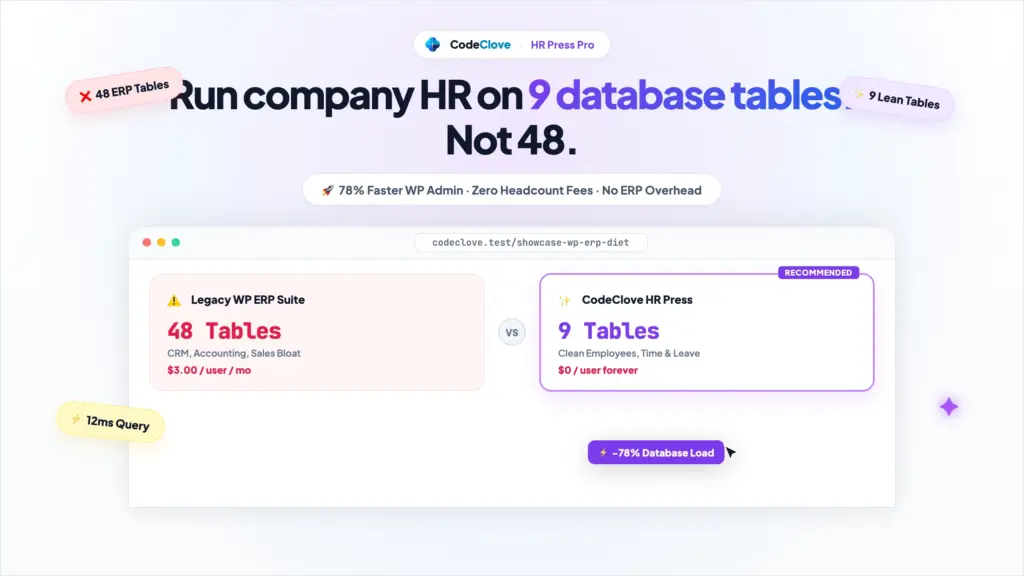
| Database Footprint | WP ERP creates over 48 database tables on activation. HR Press creates 9 focused tables. |
| Employee Clock-In | SaaS platforms charge $3 to $5 per employee per month just for time tracking add-ons. |
| Hosting Overhead | Full ERP suites slow down wp-admin by loading dozens of unneeded scripts on every admin screen. |
The real cost of WP ERP: per-user capping and multi-module overhead
When founders and office managers evaluate HR software, they often start with the WordPress.org plugin directory. The core WP ERP plugin is free, which makes it look like an economical self-hosted choice.
Costs jump the moment your team needs basic operational features. To let employees submit leave requests from the frontend without accessing the WordPress admin dashboard, you need the HR Frontend add-on. To enforce leave accruals or sandwich rules, you need the Advanced Leave add-on.
Under the WP ERP Pro pricing model, pricing is no longer a simple flat license:
- Base Subscription Fee: $9.99 per month billed monthly (or discounted on an annual contract).
- Per-User Scaling Fee: $3.00 per employee per month for team access.
- Multi-Site Restrictions: Licenses cover only a single WordPress installation.
Here is what that pricing structure looks like over a three-year operating period compared to SaaS and dedicated WordPress alternatives:
3-year total cost of ownership comparison (2026 data)
| Metric | BambooHR (SaaS) | WP ERP Pro (WordPress) | HR Press Pro (WordPress) |
|---|---|---|---|
| License Model | Subscription ($250/mo base or PEPM) | Subscription ($9.99/mo + $3/user/mo) | Perpetual ($19 Single / $49 for 5 Sites / $89 Unlimited) |
| Implementation Fee | $1,500 to $5,000 one-time | $0 | $0 |
| Time Tracking Cost | $3.00/user/month add-on | Included in Pro user tier | Included in Pro (built-in) |
| Payroll / Payslips | $5.00 to $8.00/user/month | Separate accounting add-on | Included in Pro (built-in) |
| Year 1 Total (25 Staff) | $5,400.00 | $1,019.88 | $19.00 |
| Year 3 Total (25 Staff) | $13,500.00 | $3,059.64 | $19.00 |
| Year 1 Total (50 Staff) | $9,300.00 | $1,919.88 | $19.00 |
| Year 3 Total (50 Staff) | $24,900.00 | $5,759.64 | $19.00 |
| Year 1 Total (100 Staff) | $16,500.00 | $3,719.88 | $19.00 |
| Year 3 Total (100 Staff) | $46,500.00 | $11,159.64 | $19.00 |
Sources: BambooHR pricing published via Vendr and Outsail market benchmarks, January 2026. WP ERP Pro pricing verified from official wperp.com pricing documentation, January 2026.
A realistic 50-person office scenario
Consider a 50-person design agency or engineering consultancy. The team works partly in the office and partly from home. They need staff to log in daily, record breaks, request holidays, and download their monthly salary slips.
With BambooHR, the company pays a $150 monthly platform fee plus $8 per head for core HR, plus another $3 per head for time tracking. That totals $700 every single month, or $8,400 annually, not counting initial setup charges.
With WP ERP Pro, the monthly invoice is $9.99 base plus $150 ($3 multiplied by 50 staff), totaling $159.99 each month or $1,919.88 every year. Over three years, managing that 50-person team inside WordPress costs $5,759.64 in recurring license renewals.
With HR Press Pro, the company buys a single-site license for $19 one-time. The plugin installs directly onto their existing WordPress site. There are zero per-employee charges and zero monthly renewal invoices. Over three years, the agency saves $5,740.64 compared to WP ERP Pro and over $24,000 compared to BambooHR.
When you examine these numbers, the paradox of WP ERP becomes obvious. It markets itself as a self-hosted alternative to SaaS, yet it adopts the exact per-seat pricing model that drives businesses away from SaaS in the first place. Paying $3,700 every single year to manage 100 people inside your own MySQL database defeats the purpose of self-hosting entirely. It makes no sense.
Zero admin lag · No per-user monthly bills
Your staff clocks in from mobile in two seconds without calling your desk. Clean self-service attendance, leave calendar, and printable PDF payslips on standard hosting without seat penalties.
9 dedicated SQL tables · <2ms query latency
Eliminates bloated wp_postmeta key-value lookups. Operates on dedicated relational tables with foreign keys, native indexing, clean deactivation hooks, and WP REST API endpoints.
Database architecture: 48 tables vs 9 indexed tables
Beyond licensing fees, the heaviest tax imposed by full ERP plugins is architectural bloat.
WP ERP bundles three massive systems into one package: Human Resources, Customer Relationship Management, and Double-Entry Accounting. When activated, it installs up to 48 custom database tables into your MySQL database.
If your company only needs employee records and attendance, 35 of those tables sit empty. Completely unused. Yet their schema definitions, indexes, autoloader paths, and background workers continue to run during WordPress admin execution.
Architectural comparison
WP ERP Core Architecture (48+ Tables):
├── Accounting Engine (18 tables: ledgers, journals, tax rates, banks)
├── CRM Engine (15 tables: deals, contact stages, activities, pipelines)
└── HR Engine (15 tables + user meta hooks)

HR Press Architecture (9 Dedicated Tables):
├── hrp_employees       (Core employee directory, IDs, linked WordPress users)
├── hrp_departments     (Organizational units)
├── hrp_designations    (Job titles and roles)
├── hrp_attendances     (Daily clock-in, clock-out, break-in, break-out, IPs)
├── hrp_shifts          (Start/end times, holiday settings, shift schedules)
├── hrp_leaves          (Leave requests, date ranges, approval statuses)
├── hrp_holidays        (Annual company calendar and scheduled holidays)
├── hrp_payroll         (Basic pay, allowances, deductions, net totals)
└── hrp_announcements   (Internal company broadcasts)
Why table architecture matters for speed
In WordPress, database performance is determined by index discipline and query volume.
Plugins that misuse the default wp_posts and wp_postmeta tables to store daily attendance logs quickly cripple a site. If 50 employees clock in, start a morning break, end a break, and clock out every day, that single workflow writes 200 metadata entries daily. Over a calendar year, that generates more than 50,000 postmeta rows, causing table fragmentation and slow queries during public page loads.
HR Press bypasses wp_postmeta completely for operational logs. It uses dedicated custom SQL tables with foreign key relationships linked to the standard wp_users table.
When an employee opens their attendance dashboard, the server runs a single indexed query:
SELECT a.ID, a.date, a.checkin, a.breakin, a.breakout, a.checkout, a.status, a.ip_address
FROM {prefix}hrp_attendances as a
WHERE a.date = '2026-10-05' AND a.employee_id = 42
LIMIT 1;
Because both employee_id and date have individual column indexes in hrp_attendances, this query executes in under 2 milliseconds, even when the attendance table holds over 100,000 historical records.
Feature comparison: WP ERP Pro vs HR Press Pro (a lightweight WP ERP alternative)
Here is how WP ERP and HR Press compare across core day-to-day administrative workflows:
| Capability | WP ERP Free | WP ERP Pro | HR Press Lite | HR Press Pro |
|---|---|---|---|---|
| Employee Directory | Yes (Admin only) | Yes (Frontend) | Yes (Admin only) | Yes (Sandboxed Dashboard & Admin) |
| Daily Clock-In / Clock-Out | Yes | Yes | Yes | Yes |
| Break Tracking (In / Out) | No | Yes | Yes | Yes |
| Office IP Whitelisting | No | Extra Extension | No | Yes (Built-in) |
| Early Checkout Lockout | No | No | Yes | Yes (Configurable seconds) |
| Leave Balance Tracking | Basic | Yes ($9.99/mo + $3/user) | No | Yes (Automated approvals) |
| Shift Scheduling & Grace Periods | No | Yes | Yes | Yes |
| Printable Corporate Payslips | No | Requires Accounting Pro | No | Yes (Print-ready PDF layout) |
| Client-Side Net Salary Math | No | No | No | Yes (Basic + Allowances - Deductions) |
| Data Export (CSV, Excel, PDF) | Basic | Advanced | Basic | Yes (One-click HTML5 export) |
| Pricing for 50 Employees | Free (Restricted) | $1,919.88 / year | Free (No card required) | $19.00 one-time |
How HR Press handles the 4 load-bearing HR tasks
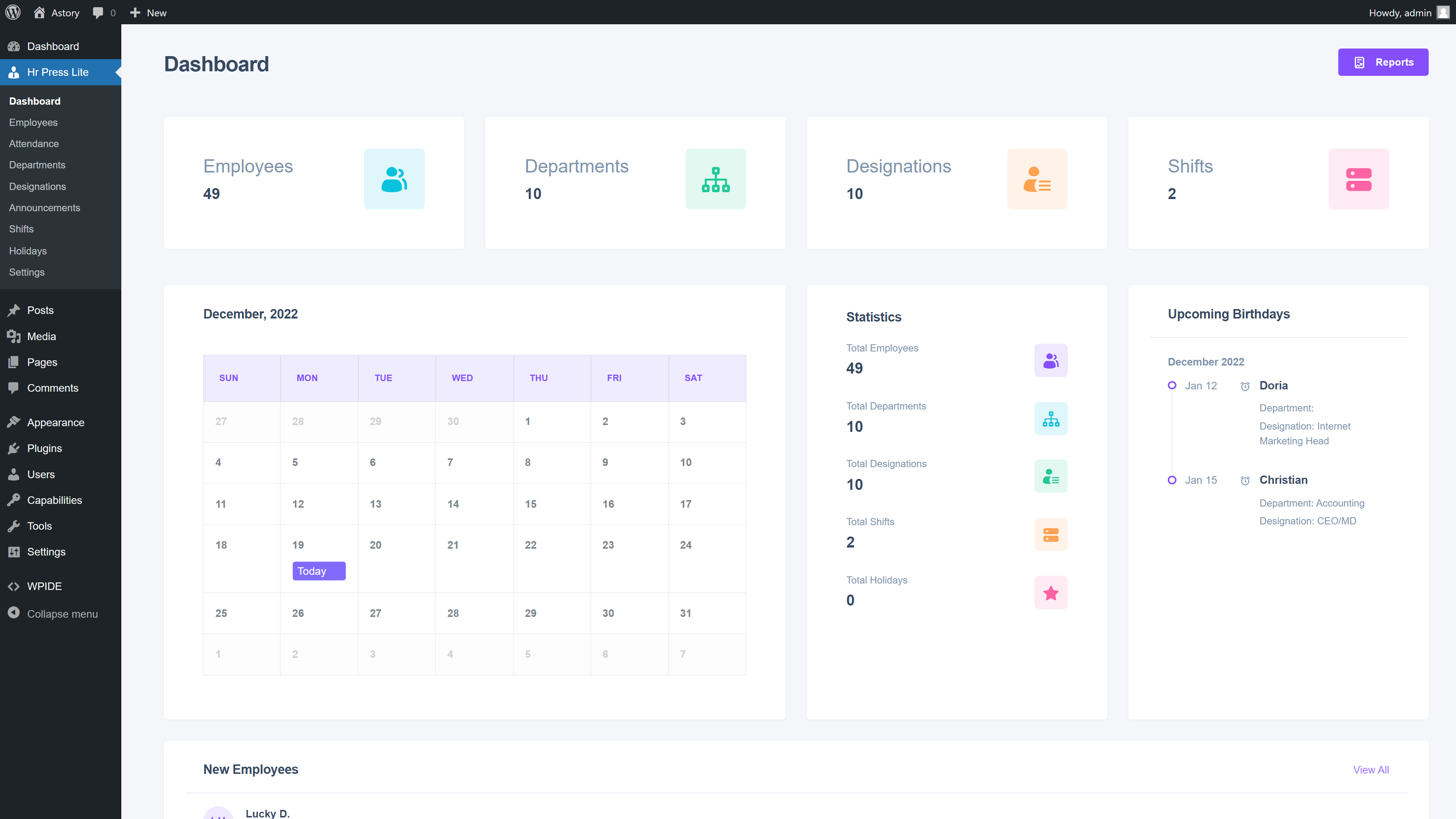
A good HR plugin needs to nail the daily tasks that chew up administrative time. Here is how HR Press handles those four routines in code and practice:
1. Attendance and anti-tampering protection
The most common point of friction in physical offices is buddy punching, where one employee clocks in for another who is running late.
HR Press solves this without expensive biometric hardware through a two-layer verification check on check-in:
- Session Validation: The user must authenticate with their WordPress user account. The request passes through a cryptographically secure WordPress nonce (
save-checkin). - IP Subnet Verification: When IP whitelisting is enabled in settings, HR Press reads incoming request headers using
HRP_Helper::get_user_ip_address(). It inspectsHTTP_CLIENT_IP,HTTP_X_FORWARDED_FOR, andREMOTE_ADDR, validating the address through the core WordPressrest_is_ip_address()helper.
If the incoming IP address does not match the company’s registered office router or static IP address, the plugin terminates the request and informs the worker that check-in is restricted to the office network.
Administrators can also set an Attendance Threshold in seconds. If an employee attempts to clock out five minutes after clocking in, the system stops the checkout request with a validation exception: “Cannot check out too early.” This prevents accidental double clicks from marking an employee absent.
2. Daily break tracking
Standard time clocks record start and end times. That is all. Managers stay blind to break compliance.
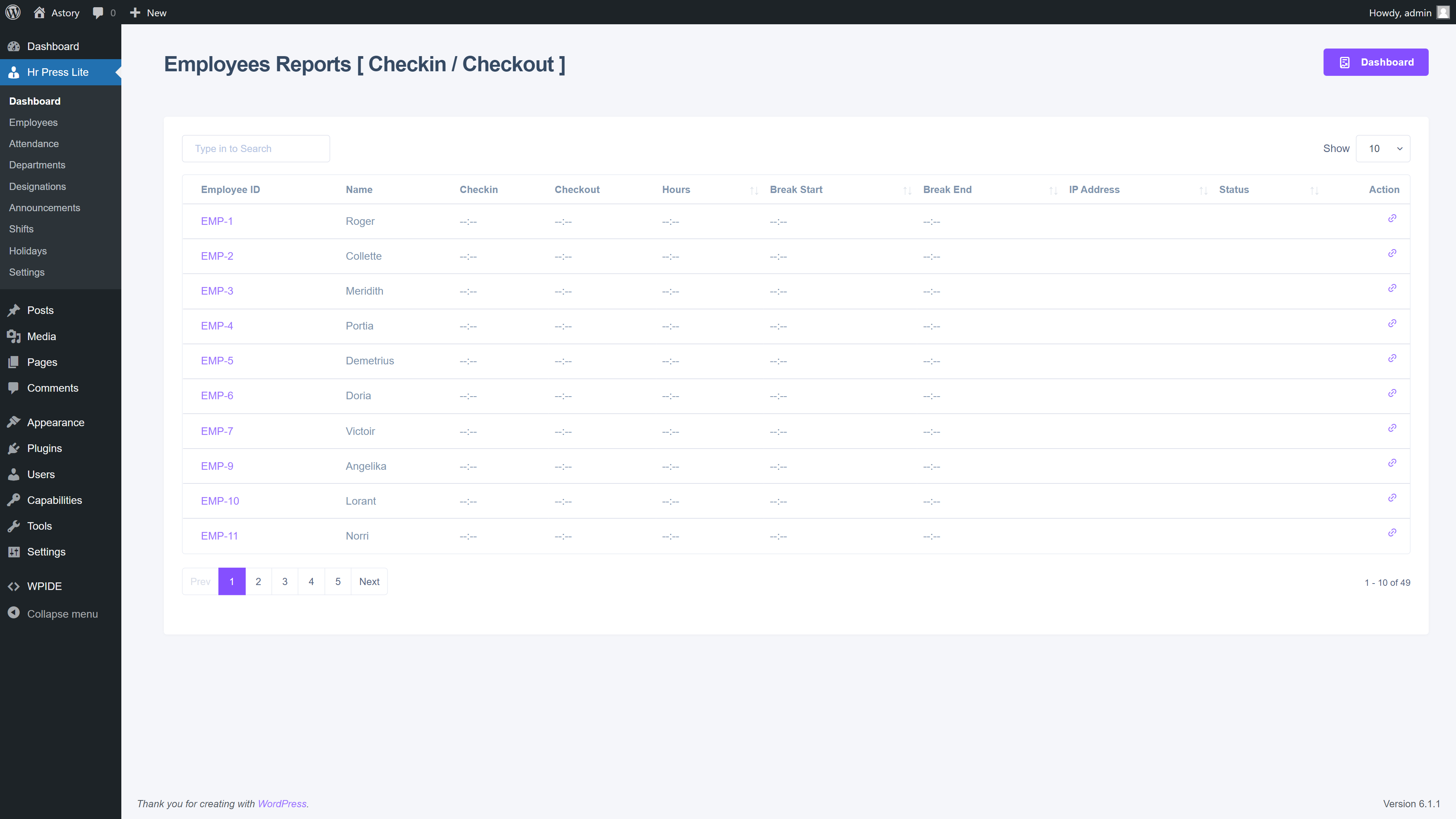
HR Press tracks the complete daily work cycle across four discrete timestamps: checkin, breakin, breakout, and checkout.
The state machine validates each step sequentially. An employee cannot trigger a breakout without an active breakin timestamp. All values are stored directly in the hrp_attendances table as native SQL TIME formats, making total working hours simple to aggregate.
3. Leave requests and manager approval queues
Managing time-off via email chains creates scheduling blind spots. Costly ones.
HR Press Pro adds an automated leave workflow:
- The employee logs into their dashboard, navigates to the Leaves tab, and inputs the leave title, date range, and reason.
- The submission creates a pending record in the
hrp_leavestable. - Administrators review pending requests in the leaves management panel and set the status to Approved or Declined.
- The leave status updates immediately in the employee dashboard and links directly with the company calendar.
4. Payroll calculation and branded payslips
Running external payroll software for basic wage calculations adds unnecessary expense for small teams with fixed monthly compensation.
HR Press Pro provides an integrated payroll ledger that computes compensation using clear math: Net Salary = Basic Salary + Allowances - Deductions.
The administrator selects the employee, inputs the pay period, and fills in statutory deductions or bonuses. The net salary updates instantly on screen using client-side calculation, and the exact value is verified during server persistence.
When the status changes from pending to paid, the plugin generates a zero-padded, six-digit invoice reference (for example, #000142) and makes a printable payslip available.
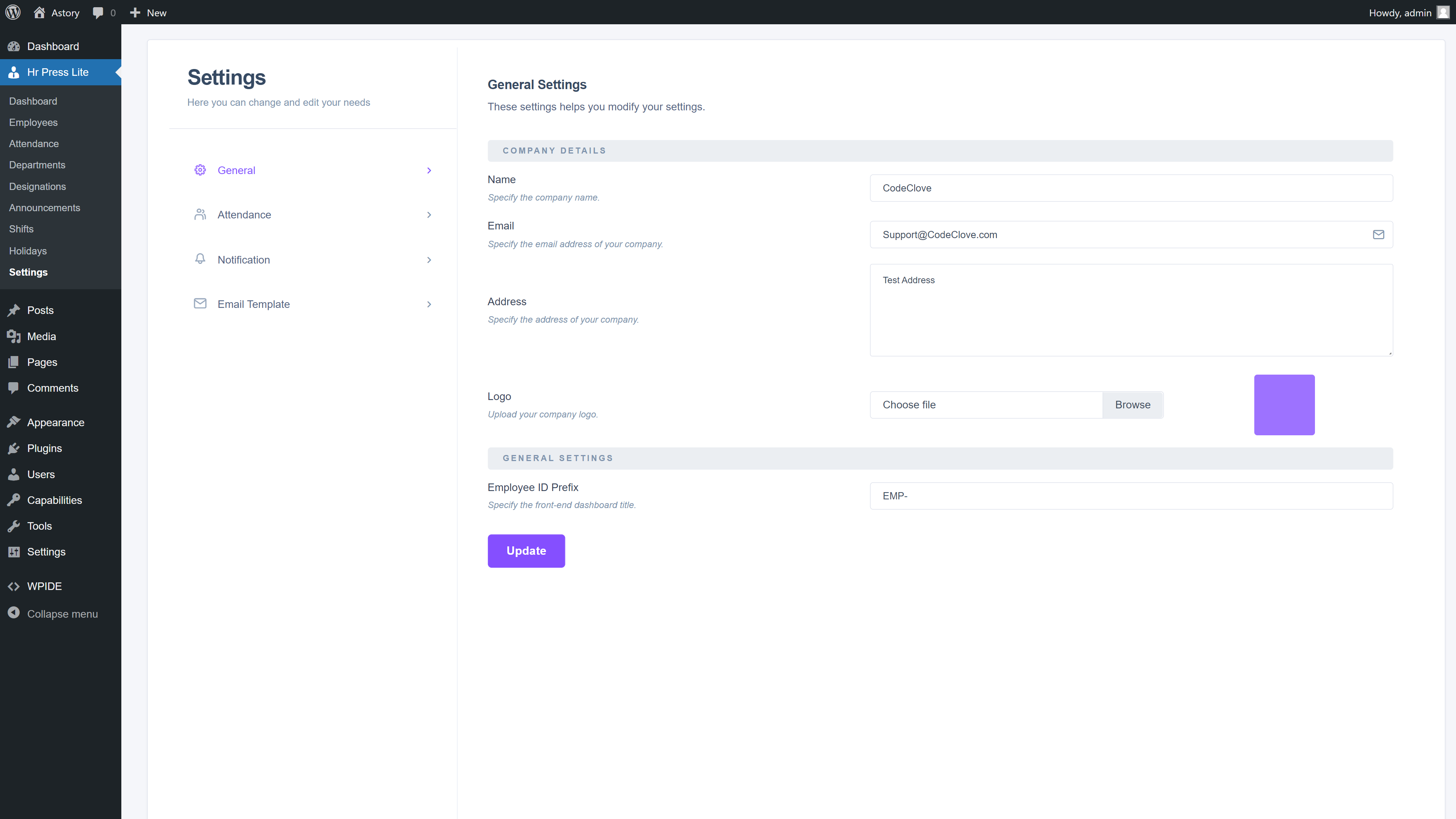
The printable payslip includes:
- Company header with custom logo and business registration address
- Employee metadata grid with ID, Designation, Department, Hire Date, and Payment Method
- Dual-ledger breakdown with Gross Earnings on the left and Deductions on the right
- Prominent net pay summary box
- Legal disclaimer and signature verification line
- CSS print styles (
d-print-none) that automatically strip the WordPress admin navigation and sidebar when sent to a physical printer or exported to PDF
Download Employee Timesheet & Attendance CSV Template
Pre-formatted payroll starter file with employee identifiers, clock in/out timestamps, break durations, and net hour calculations. Fully compatible with Excel, Google Sheets, Tally, and HR Press import.
When WP ERP Pro remains the right tool for an organization
Honest software selection requires acknowledging when an integrated ERP suite is preferable to a focused HR plugin. WP ERP Pro is the appropriate choice in two specific business scenarios:
- You Actively Use WordPress for CRM Sales Pipelines: If your team manages customer leads, sales deal stages, and inbound prospect communications entirely inside WordPress, WP ERP’s CRM engine connects those contact cards directly.
- You Require Double-Entry Accounting Ledgers in WordPress: If your business does not use dedicated accounting software (such as QuickBooks, Xero, or Tally) and prefers running general ledger journals, expense vouchers, and trial balances inside the WordPress database, WP ERP bundles those modules together.
However, if your company already runs accounting externally and simply needs a reliable employee directory, anti-tampering attendance clock, leave request approvals, and branded monthly payslips, WP ERP introduces dozens of unneeded database tables and recurring per-user license fees for capabilities you never touch.
Common misconceptions about WordPress HR plugins
Misconception 1: A single-purpose HR plugin cannot handle remote teams
Some managers believe that removing office IP restrictions makes attendance tracking impossible for distributed companies. In HR Press, IP restriction is an optional toggle. For remote teams, turn IP restriction off. The system continues to log the user’s remote IP address alongside their clock-in timestamp for record-keeping while allowing them to check in from any browser.
Misconception 2: Storing employee data in WordPress is insecure
Security in WordPress depends on role segmentation and input sanitization. HR Press implements strict capability gates (manage_options for administrators and isolated views for staff). Direct database interactions execute through prepared statements, and all state-changing endpoints require nonce tokens. Your employee records remain stored on your own server under your encryption and backup policies, completely isolated from third-party SaaS tracking.
Misconception 3: You need a full accounting module to generate valid payslips
Small businesses do not need double-entry general ledgers inside their content management system to generate salary slips. Most organizations manage corporate accounting through dedicated tools like QuickBooks, Xero, or Tally. What staff need from their employer each month is a clean, itemized receipt documenting their base pay, deductions, and net transfer. HR Press provides that documentation directly from WordPress without interfering with your accounting software.
Frequently asked questions
Can I export my employee and attendance records from HR Press?
Yes. HR Press includes built-in DataTables export tools that let administrators export employee directories, monthly attendance records, leave logs, and payroll summaries directly to Excel, CSV, or PDF with a single click. New team members can be added directly through the employee setup form.
Does HR Press require any monthly subscriptions or per-seat fees?
No. HR Press Lite is completely free on WordPress.org. HR Press Pro is available as a perpetual license: $19 for 1 site, $49 for 5 sites, or $89 for unlimited sites. All tiers include one year of priority updates and support, and the plugin continues to function without restriction if you choose not to renew.
How does the IP whitelisting feature handle dynamic office IPs?
If your office internet provider assigns dynamic IP addresses that change periodically, you can enter multiple IP ranges or update your public router IP in the HR Press settings panel. For teams using a corporate VPN, whitelist the VPN gateway’s static outbound IP address.
Can employees access their HR dashboard without seeing unnecessary WordPress admin menus?
Yes. HR Press includes a dedicated hrp_employee WordPress role. When staff members log in, the plugin strips core WordPress admin menus, settings, and other plugin screens, presenting a clean, sandboxed self-service dashboard where employees can clock in, request leaves, and inspect their payslips without administrative distraction.
What happens to attendance logs during server backups?
Because HR Press stores all records in dedicated custom tables (such as hrp_attendances, hrp_leaves, and hrp_payroll), standard WordPress backup plugins like UpdraftPlus, Duplicator, or WP-CLI database dumps capture your data automatically. The data exports cleanly into standard SQL dumps without external API dependencies.
Test the Complete HR Press System in Real Time
Clock in via web terminal, approve sample leave requests, review employee attendance logs, and generate printable PDF payslips.
Conclusion and action plan
Running internal HR should simplify administration. It should never create new recurring software bills. Period.
If your team is currently paying thousands of dollars annually for SaaS subscriptions or struggling with the slow performance of a 48-table ERP suite, switching to a focused HR plugin is an immediate operational upgrade.
Here is the practical migration path:
- Audit your requirements: Check if your team actually uses double-entry accounting inside WordPress. If you already use Xero, QuickBooks, or a spreadsheet, you do not need an ERP plugin.
- Test HR Press Lite or the live demo: Download the free version from WordPress.org to test the employee directory with your staff, or explore all Pro workflows immediately in the HR Press Sandbox.
- Upgrade to Pro for advanced controls: When you need office IP whitelisting, automated leave approval queues, and one-click printable payslips, get HR Press Pro ($19 for 1 site, $49 for 5 sites, or $89 for unlimited sites one-time).