Table of Contents
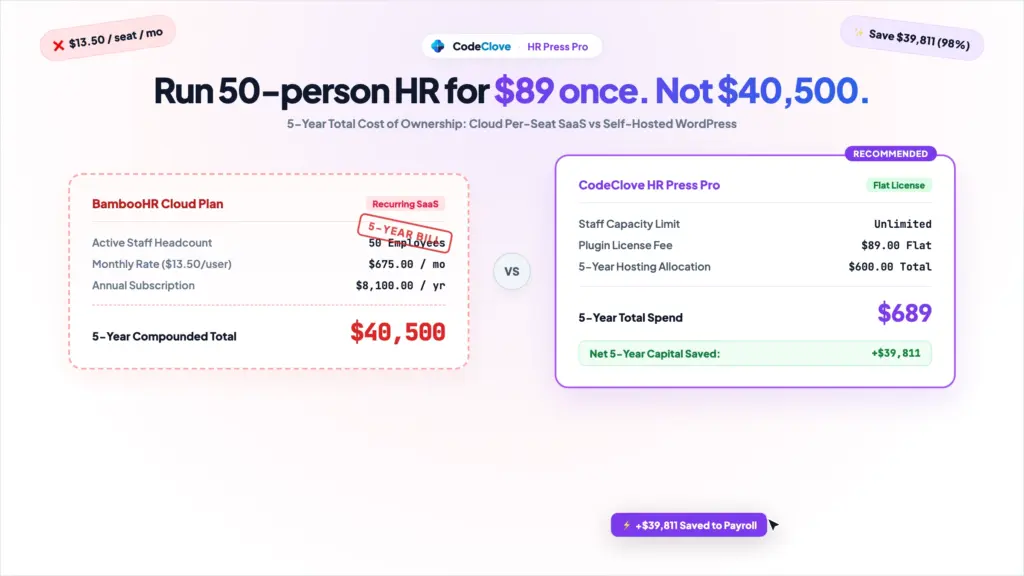
A 50-person company paying BambooHR’s average rate of $13.50 per employee per month spends $8,100 annually, totaling $40,500 over five years. Running self-hosted WordPress HR with HR Press Pro ($89 one-time fee on a $10/month server) costs $689 over the same period.
That $39,811 difference funds new equipment, bonuses, or operations without sacrificing daily HR reliability.
When a team has 15 people, per-seat SaaS feels reasonable. As headcount grows to 35, 50, or 85 employees, monthly invoices scale alongside payroll. You pay that monthly per-employee fee even for staff who only log in twice a month to check a payslip or submit vacation days.
Below is a five-year total cost of ownership breakdown for companies with 25 to 100 employees, analyzing features, operational trade-offs, and data residency.
Interactive Sandbox Demo: Test employee clock-in, office IP restriction, leave requests, and payslip generation in the live HR Press sandbox demo. The demo environment resets every 2 hours with no registration required.
Key Takeaways
– Five-year cost at 50 staff: BambooHR costs an estimated $40,500 over 5 years ($13.50/seat/mo), while HR Press Pro Unlimited ($89 flat) plus $10/mo hosting totals $689.
– Total five-year savings: Switching from per-seat SaaS to self-hosted WordPress saves a 50-person team $39,811 over 60 months.
– Where BambooHR wins: Best for high-growth firms needing built-in applicant tracking, automated onboarding packets, e-signatures, and formal 360-degree review cycles.
– Where HR Press Pro wins: Best for stable 25 to 100 employee teams that need daily attendance, break logs, office IP whitelisting, leave approvals, and PDF payslips without recurring per-seat fees.
– Data residency control: Self-hosting on WordPress keeps employee personal details and salary records in your own MySQL database under your direct jurisdiction.
How per-seat pricing compounds from 25 to 100 employees
Per-seat HR software turns headcount growth into an expanding software tax. Market benchmarks indicate BambooHR pricing typically ranges from $9.00 to $18.00 per employee per month across Essentials and Advantage tiers, before optional payroll or time tracking add-ons.
At a midpoint of $13.50 per employee per month ($162/employee/year), annual costs scale directly with staffing:
– 25 employees: $2,700 to $5,400 per year ($4,050 midpoint).
– 50 employees: $5,400 to $10,800 per year ($8,100 midpoint).
– 75 employees: $8,100 to $16,200 per year ($12,150 midpoint).
– 100 employees: $10,800 to $21,600 per year ($16,200 midpoint).
HR Press Pro costs $19 for a single site or $89 for an unlimited-site license with unlimited staff. If you already operate a company WordPress site, your extra hosting cost is $0. Even on a dedicated $10/month cloud VPS ($120/year), your annual infrastructure costs remain fixed whether you employ 25 people or 100.
5-year cost breakdown by headcount
| Headcount | BambooHR Annual Range | BambooHR 5-Year Total ($13.50/mo est.) | HR Press Pro Unlimited + Hosting (5-Year Total) | 5-Year Net Savings |
|---|---|---|---|---|
| 25 employees | $2,700 to $5,400 / yr | $20,250 | $689 | $19,561 |
| 50 employees | $5,400 to $10,800 / yr | $40,500 | $689 | $39,811 |
| 75 employees | $8,100 to $16,200 / yr | $60,750 | $689 | $60,061 |
| 100 employees | $10,800 to $21,600 / yr | $81,000 | $689 | $80,311 |
Note: BambooHR estimates reflect third-party benchmarks ($9-$18/employee/mo). HR Press Pro combines the $89 Unlimited license with 60 months of $10/mo hosting.
This model mirrors school administration, where institutions are re-evaluating SaaS fees after seeing recurring contracts inflate. Paying rent on database rows is an expensive way to maintain staff records.
When BambooHR is the right choice
BambooHR is an established platform for companies with dedicated human resource departments and rapid hiring targets.
Key enterprise strengths:
1. Applicant tracking system: Job board syndication, candidate pipelines, and interview scoring integrated directly into onboarding.
2. Automated onboarding: Pre-boarding packets, digital tax form signatures, and automatic IT task assignments.
3. Formal performance reviews: Scheduled peer evaluations, goal tracking, and 360-degree manager matrices.
4. Employee pulse surveys: Anonymous eNPS sentiment tracking over time.
If your company hires 5+ people every month and requires structured quarterly peer reviews, BambooHR provides substantial value.
However, many established 25-to-100 person organizations hire infrequently. Daily HR needs center on basic execution: tracking attendance and shifts, approving vacation, and producing monthly payslips.
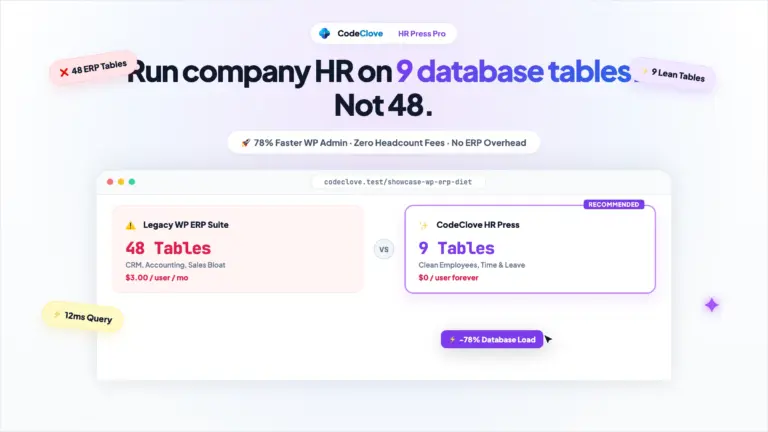
Even legacy WordPress plugins can introduce SaaS pricing. As detailed in our review of WP ERP alternative, WP ERP Pro charges monthly per-user fees across 48 database tables. Self-hosted tools should charge once for the software, running as many users as your server supports.
What HR Press Pro covers vs what it leaves out
HR Press Pro focuses on core daily operations using 14 dedicated custom MySQL tables without attempting to build enterprise talent management suites.
Side-by-side capability comparison
| Feature | BambooHR Essentials & Advantage | HR Press Lite (Free) | HR Press Pro ($19-$89 Flat) |
|---|---|---|---|
| Pricing | ~$9 to $18 / employee / month | Free forever | $19 or $89 one-time payment |
| Employee directory | Yes | Yes (admin view) | Yes (admin & employee dashboard) |
| Departments & roles | Yes (visual chart) | Yes | Yes |
| Clock-in & clock-out | Paid add-on | Yes | Yes |
| Break tracking | Basic | Yes | Yes |
| Office IP whitelisting | No subnet lock | No | Yes (blocks remote buddy-punching) |
| Double-punch blocks | No | Yes | Yes (configurable threshold) |
| Leave approval queue | Yes | No | Yes (automated notifications) |
| Holiday calendar | Yes | Yes | Yes |
| Basic payroll ledger | Paid add-on (US only) | No | Yes (Basic + Allowances - Deductions) |
| Printable PDF payslips | Paid add-on | No | Yes (one-click formatted output) |
| Applicant tracking (ATS) | Yes | No | No |
| 360 performance reviews | Yes | No | No |
| Data residency | US cloud servers | Your own server | Your own server |
What HR Press Pro covers in detail
- Employee directory: Links staff to standard WordPress accounts and
hrp_employeesrecords, organizing teams by department and role. - Time & break tracking: Staff punch in, log breaks, and clock out from their dashboard, storing records in
hrp_attendancesfollowing the same indexing principles as school attendance tracking. - Office IP whitelisting: Validates client IP addresses against your corporate Wi-Fi or VPN, preventing remote check-ins.
- Leave workflows: Employees submit time-off requests; managers review pending applications against leave balances in one click.
- Payroll & PDF payslips: Computes net salary (
Basic + Allowances - Deductions) and outputs formatted payslips ready for print or PDF export.
What HR Press Pro does not cover
HR Press Pro does not include an applicant tracking system, video onboarding, or automated tax filings. If you need recruitment pipelines, you can run a free job board plugin or manage candidates in Notion. Statutory tax filings are handled by your external accountant using HR Press Pro CSV data exports.
Data ownership: self-hosted vs US cloud SaaS
Self-hosting keeps employee personal information, salary data, and attendance records on your own infrastructure. BambooHR stores customer data on multi-tenant cloud servers in the United States.
For organizations in India, the UK, Europe, or Southeast Asia, cross-border data residency is a compliance consideration under GDPR, the UK DPA, or India DPDP Act. Similar privacy benefits apply when comparing self-hosted vs SaaS for student records.
Running HR Press Pro on your server ensures:
– Zero third-party tracking: Records remain inside dedicated database tables on your disk without external telemetry.
– Direct data ownership: Full database backups are accessible through WP-CLI or standard SQL tools without export fees.
– Role isolation: Staff log in with restricted hrp_employee permissions, accessing only their own timesheets and payslips (similar to a secure parent portal).
How to evaluate HR Press Pro in 15 minutes
- Open the live HR Press sandbox demo in your browser.
- Clock in, log a break, and test the double-punch prevention timer.
- Submit a leave request from the employee view, then approve it in the manager queue.
- Open the Payroll ledger, record a salary entry, and generate the formatted PDF payslip.
- If these workflows match your operational requirements, deploy HR Press Pro Unlimited for $89 and keep the five-year cost difference in your business.
Frequently asked questions
Is BambooHR worth the price for a small business?
BambooHR is worth the cost if your business hires rapidly and relies on integrated applicant tracking, automated onboarding packets, and 360-degree performance reviews. If your team has stable headcount and primarily needs time tracking, leave management, and monthly payslips, a flat self-hosted plugin covers those requirements at a fraction of the cost.
What does HR Press Pro include?
HR Press Pro includes an employee directory, daily clock-in and break tracking, shift schedules, office IP whitelisting, leave management queues, company holiday alerts, loan and expense tracking, a payroll ledger (Basic + Allowances - Deductions), printable PDF payslips, and CSV/Excel exports.
Can WordPress handle HR for 100 employees?
Yes. Because HR Press Pro uses dedicated relational database tables rather than wp_postmeta, an indexed SQL query for 100 employees across 25,000 annual attendance rows executes in under 2 milliseconds on a standard $10/month server.
Is employee data secure on self-hosted WordPress?
Yes, provided you enforce standard server hygiene: HTTPS encryption, two-factor authentication, updated software, and automated off-site backups. HR Press Pro protects actions with WordPress nonces, role-based capabilities, and prepared SQL statements.
What is the difference between HR Press Lite and HR Press Pro?
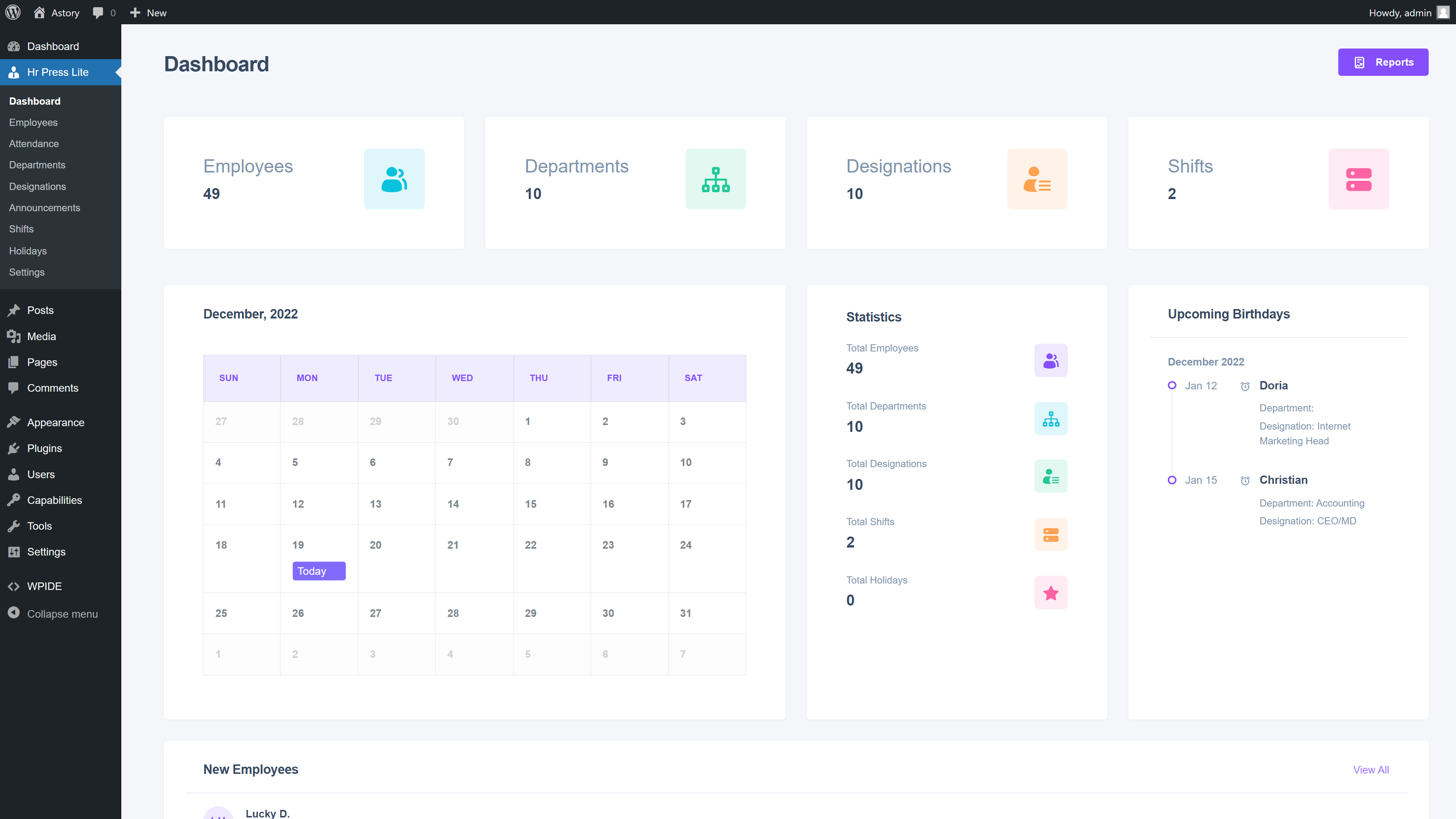
HR Press Lite is the free edition on WordPress.org, covering employee directories, basic shifts, holidays, and standard clock-in/out. HR Press Pro adds office IP whitelisting, leave approval queues, expense and loan tracking, payroll calculations, and printable PDF payslips.