Table of Contents
The wp-admin problem
Picture a Monday morning at a 600-student school.
The office phone rings at 8:05 AM. A parent wants to know if their tuition check arrived. At 8:12 AM, another parent calls asking why their seventh-grader was marked absent on Friday. By 8:30 AM, the receptionist has spent twenty-five minutes answering questions that belong on a self-service screen.
Here is how most WordPress school plugins attempt to solve this: they create a WordPress user account for every parent, assign a custom user role, and tell them to log in at yourschool.com/wp-admin.
The parent logs in. They land on the standard WordPress backend dashboard. They see a gray admin sidebar, tiny system fonts, a collapsible menu, and maybe a custom menu item labeled “My Children.” On a phone, the admin bar pins to the top of the viewport, the admin sidebar turns into a cramped hamburger menu, and wide data tables break off the edge of the screen.
The parent did not want to manage a website. They wanted to verify their balance or check today’s schedule. Instead, they are squinting at a content management dashboard designed for web administrators in 2012. Most parents give up after thirty seconds. They do not log in again. They call the school front desk instead.
WordPress school portals fail when they assume parents are WordPress users. Parents are not web administrators. They want clear answers to four specific questions:
- Did my child make it to class today?
- Do I have an outstanding fee balance?
- What does tomorrow’s class schedule look like?
- Are there any urgent school notices?
Everything else gets in the way.
What a parent portal actually needs
Before writing code or choosing plugins, school administrators need clarity on what a parent portal must accomplish. It does not need social walls, gamification badges, or an overcomplicated learning management system. It needs an interface that delivers essential records in seconds.
| Portal Capability | Legacy wp-admin Wrappers | CodeClove School Management Parent Portal [codeclove_portal] |
|---|---|---|
| Login Surface | Default /wp-admin dashboard with administrative menu items | Clean frontend page wrapped by your active school theme |
| Client Architecture | Multi-second full page reloads across admin pages | Fast single-page application (React) with instant tab switching |
| Mobile Usability | Shrunken desktop data tables and hidden flyout menus | Touch-friendly card layouts, day-by-day tabs, and drawer navigation |
| Family Management | Separate logins per child or awkward session resets | Single parent account with a one-click child switcher dropdown |
| API & Data Security | Exposes administrative backend endpoints | REST API endpoints strictly restricted to verified parent-child links |
| Fee Transparency | Uncustomized WooCommerce cart redirections | Itemized fee heads, outstanding balances, and direct printable receipts |
Live attendance records
Parents want to confirm attendance status without waiting for an end-of-week email. When a teacher marks a student absent or late during morning homeroom, that record appears in the portal. A monthly calendar color-codes every day: green for Present, red for Absent, yellow for Late, and blue for Excused. For schools that enforce strict attendance minimums, the portal calculates the cumulative attendance percentage for the current term, backed by a structured daily attendance tracking architecture.
Fee ledgers and payment receipts
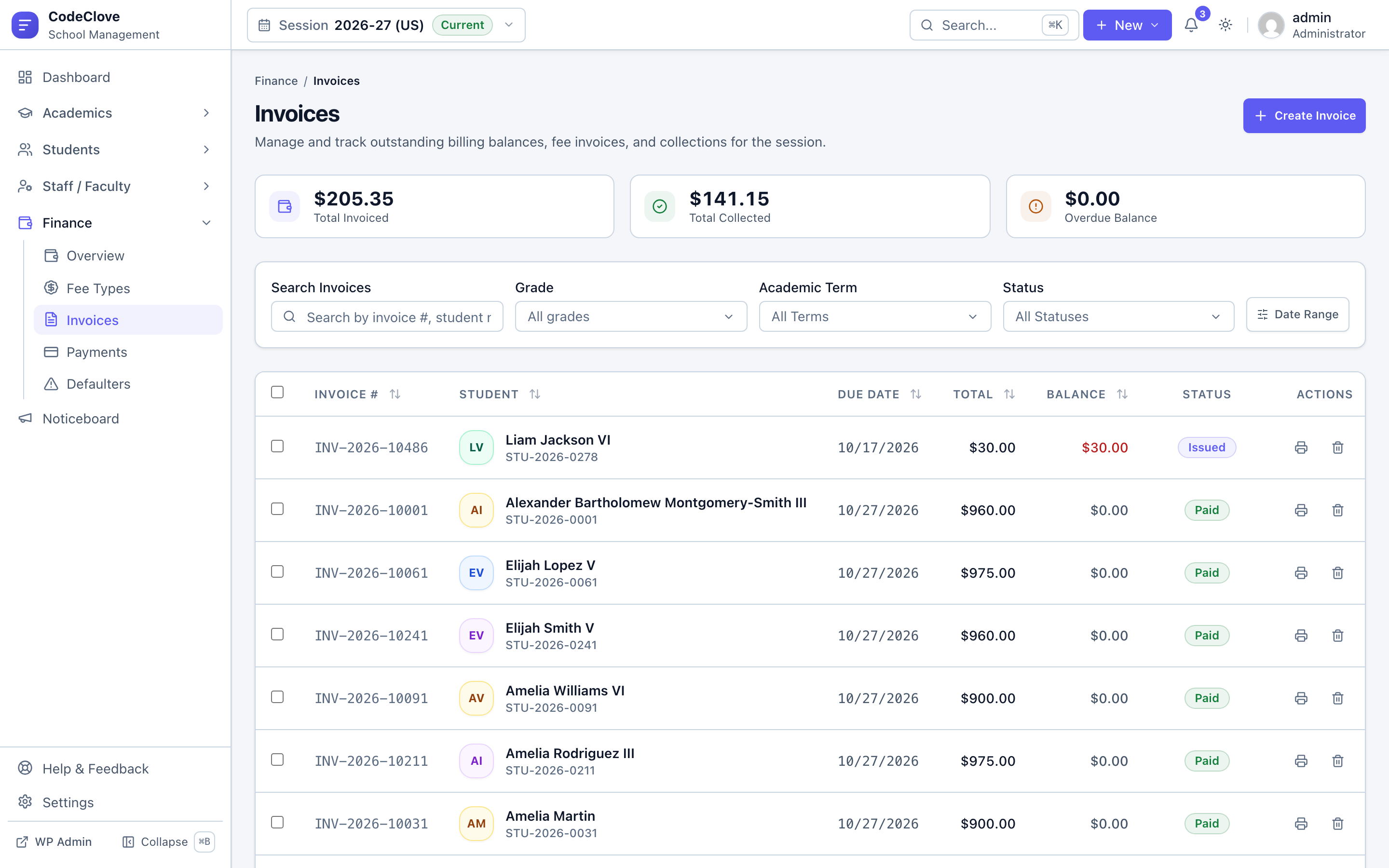
Parents need an honest accounting of what the school billed, what they paid, and what remains due. Each invoice shows itemized fee heads like Tuition, Laboratory, Transport, and Annual Charges. In our experience working with schools, transparent itemization eliminates most fee disputes. If an invoice is partially paid, the ledger highlights the remaining balance. Once paid, parents can view and print official receipts directly from the portal, eliminating requests for administrative copies. For complete billing configuration, read our walkthrough on automated school fee collection with WordPress.
Weekly timetables and teacher substitution
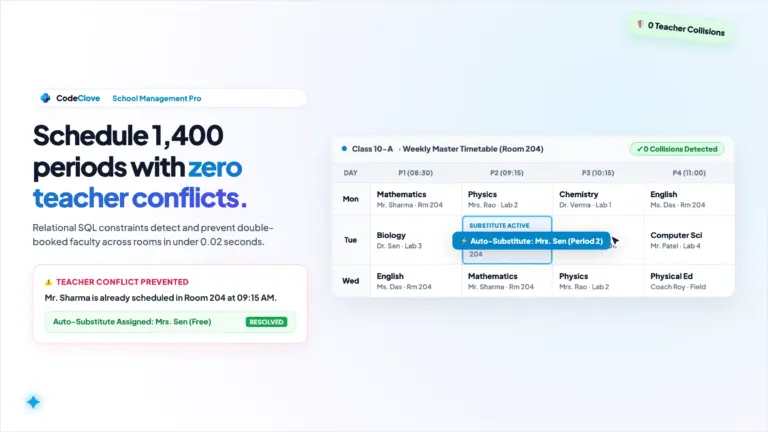
Parents ask what time Wednesday classes dismiss and which textbooks their child needs on Thursday morning. The portal provides a clear weekly schedule. Parents can toggle between a full weekly grid and a focused day-by-day card view. In CodeClove Pro, if a regular instructor is on leave and the school assigns a substitute teacher, the portal displays the replacement teacher’s name directly on that period card.
Noticeboard and school communications
School notices get buried in email inboxes and lost in noisy parent chat groups. The portal provides a clean chronological noticeboard for exam dates, holiday reminders, and urgent alerts. It is a one-way notice feed without comment arguments or notification spam.
The two architectural paths in WordPress
When building a parent portal on WordPress, developers face two fundamental choices.
Path A: Custom user roles inside wp-admin
In this approach, you register a custom “Parent” role, remove administrative menu capabilities, and write custom admin pages inside wp-admin.
This path is fast to assemble initially. You rely on WordPress user cookies and standard admin page hooks. But the user experience remains poor. Even with show_admin_bar(false) and URL redirect snippets, you are constantly patching layout leaks. If a parent clicks their profile link, they land on WordPress core profile options, complete with color schemes and keyboard shortcuts. When WordPress core updates its administrative styles, custom dashboard CSS frequently breaks.
Path B: Dedicated frontend application via shortcode
In this approach, you create a standard WordPress page (such as yourschool.com/portal) and insert a shortcode: [codeclove_portal].
The shortcode handles everything on the frontend. Unauthenticated visitors see a clean login form. Authenticated parents get a private, standalone interface mounted directly inside your school theme’s content container.
Building Path B requires significant engineering effort: custom REST API endpoints, client-side routing, and strict data scoping. However, parents get an interface that looks and functions like a modern web application, completely separated from the WordPress backend.
CodeClove School Management uses Path B.
How [codeclove_portal] works under the hood
CodeClove School Management delivers the complete portal through a single shortcode: [codeclove_portal].
Here is what happens when a visitor opens that page:
- Guest view: If the visitor is not logged in,
PortalShortcode::render_login_form()outputs an accessible, responsive login card. The card automatically inherits your school’s configured brand color (such as Classic Indigo, Sky Blue, Sunset Orange, or Fresh Mint) and displays your school logo. - Authentication flow: The form posts directly to standard WordPress authentication. If login fails, the plugin intercepts the failure and redirects back to the portal page with
?login=failed, displaying an inline error message. Parents never get dumped onto the defaultwp-login.phpscreen. - Application mounting: Once authenticated,
PortalShortcode::render_spa()mounts a target container (<div id="codeclove-portal-root"></div>). It injects a configuration object (window.CodeClovePortalConfig) containing the user context, REST API base URL, and a fresh CSRF nonce, then loads the compiled Vite application bundle. - Fast client routing: The portal runs a React single-page application using
@tanstack/react-queryandHashRouter. Switching between attendance, fee invoices, and schedules happens instantly inside the browser without reloading the outer webpage.
Because the portal mounts inside the standard WordPress page content area, your school header, navigation menu, and footer remain visible. Parents remain on your public website throughout their session.
Multi-child switching without session friction
If a family has three children enrolled across primary and secondary grades, they should not manage three sets of credentials. Many legacy school plugins bind one user account to exactly one student profile. That design forces parents with multiple children to log out and log back in, or juggle multiple browser profiles.
CodeClove School Management separates guardian identities from student enrollments:
- The database stores guardian information in
codeclove_guardiansand links parents to students via thecodeclove_student_guardiansmapping table. - When a parent logs in,
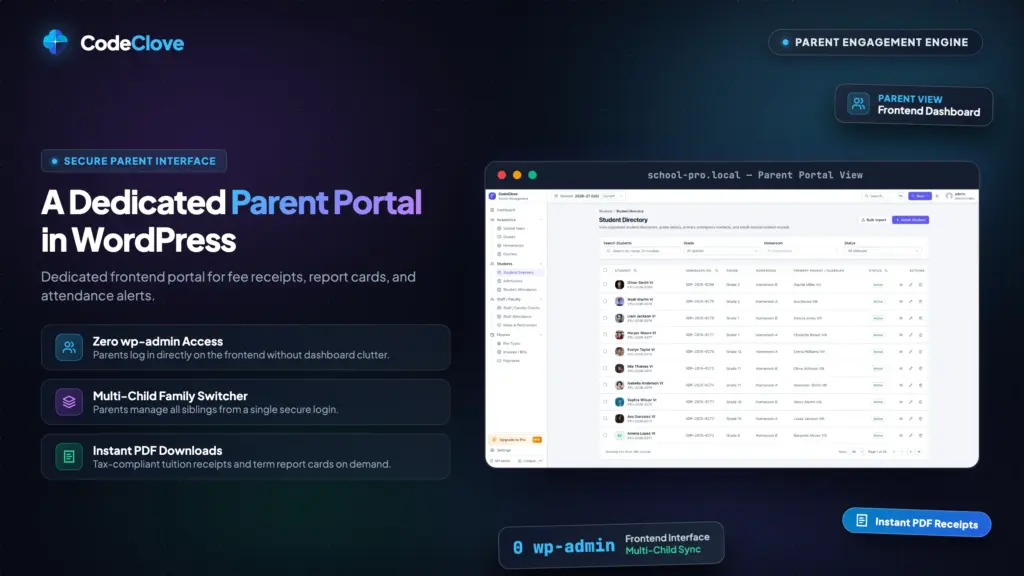
PortalService::get_portal_user_context()queries all active students linked to that guardian. - Inside the portal interface, a student switcher dropdown sits at the top of the screen. Selecting a different child updates the dashboard, attendance records, fee ledgers, and timetable instantly.
Security runs entirely on the server. Every REST API endpoint verifies authorization via PortalController::resolve_student_id() and PortalService::verify_student_access(). The database verifies that the requested student_id belongs to the authenticated user’s guardian record. If someone tampers with the API request to inspect another student ID, the server terminates the request with an HTTP 403 Forbidden response.
Mobile responsiveness by design
Analytics from active schools show that roughly 65% of portal visits originate from mobile devices. Parents check attendance during their morning commute or inspect a fee invoice from their phone during lunch.
Because [codeclove_portal] runs an independent frontend interface, every view responds to smartphone viewports:
- Weekly schedules: On wide screens, the timetable renders a full weekly period matrix. On mobile devices, it shifts into day tabs (Monday through Saturday) showing structured class cards with period times, room numbers, and subject details.
- Monthly attendance: The monthly attendance calendar adapts into a compact touch grid. Tapping any day opens a summary showing the exact timestamp and recorded status.
- Financial ledger: Invoices stack vertically as summary cards. Parents can expand line items to inspect specific charges and tap to print receipts.
- Navigation drawer: On mobile screens, the navigation collapses into an off-canvas drawer that locks background scrolling while open and responds immediately to touch gestures.
Unlike wp-admin, which tries to shoehorn dense desktop management tables into a small screen, the portal delivers touch-friendly interface components.
Authentication security without backend exposure
Running a parent portal on WordPress requires strict boundary separation. You want parents to check their records without granting them access to the administrative backend.
CodeClove School Management implements this separation through three structural layers:
- Administrative bar suppression: The plugin applies the
show_admin_barfilter to disable the top WordPress black admin bar for users with thecodeclove_guardianorcodeclove_studentrole. - Access isolation: Portal users receive no WordPress administrative capabilities. Even if a user attempts to navigate directly to
/wp-admin, standard WordPress role restrictions block their access. - Core security compatibility: Because the portal relies on native WordPress authentication cookies under the hood, standard security measures remain active. You can run two-factor authentication plugins, Wordfence login rate limiting, or Cloudflare Turnstile bot verification on the login form without breaking the portal.
What parents see when they log in
The portal organizes student information into seven focused sections:
- Summary Dashboard: A consolidated view presenting today’s attendance status, total outstanding fee balance, upcoming timetable slots, and latest announcements.
- Attendance Calendar: A complete monthly calendar view color-coded by status (Present, Absent, Late, Excused), accompanied by cumulative term attendance percentages.
- Fee & Payment Records: A complete financial ledger showing total invoiced, total paid, and overdue balances. Parents can inspect itemized invoices and print payment receipts on demand.
- Weekly Timetable (Pro): A full schedule matrix displaying subjects, class timings, assigned classrooms, and active teacher substitution alerts.
- Academic Enrollment: A summary of current academic session details, grade level, section, roll number, and enrolled subjects with syllabus tracking.
- Noticeboard (Pro): A chronological bulletin of institutional notices, examination dates, and holiday advisories.
- Profile & Contact Information: Core student records, primary and secondary guardian contacts, emergency phone numbers, and printable student ID cards. Parents can also submit updated contact details directly from this screen.
The cost reality: SaaS subscriptions vs self-hosted WordPress
Consider a private school with 500 enrolled students.
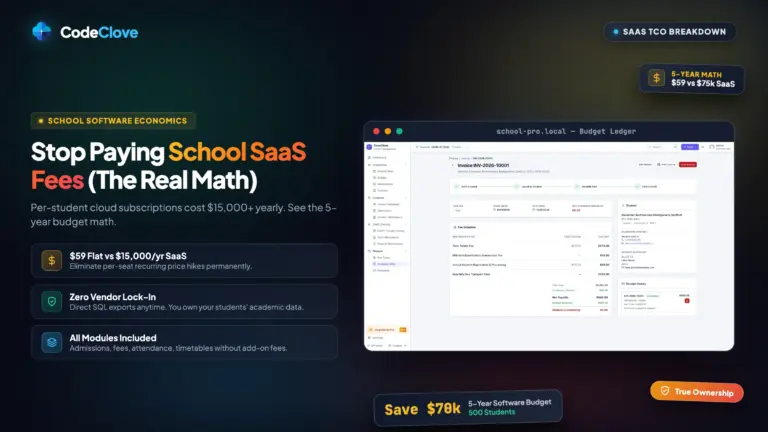
Typical cloud-based school management systems charge between .50 and .50 per student every month. At 500 students, that works out to 50 to ,750 per month, or ,000 to 1,000 per year. In addition, many platforms charge onboarding fees and extra premiums for SMS notifications or parent portal access.
Here is the math with CodeClove School Management:
- Core Free Plugin: Free on WordPress.org. Includes unlimited student profiles, bulk CSV import, admissions, attendance tracking, and offline fee management.
- CodeClove School Management Pro: 9 one-time payment for a single site (09 for 5 sites, 79 for unlimited sites). Includes the timetable builder with teacher substitution, online payment gateways (Stripe, PayPal, Razorpay, Indian UPI), SMS notifications (Twilio, Vonage, MSG91, Fast2SMS), and the digital noticeboard.
- Hosting: You host the plugin on your school’s existing WordPress server.
For a 500-student school, switching from a per-student SaaS platform saves over ,000 in the first year alone. The school maintains complete ownership of student data without recurring per-seat fees.
Honest operational limitations
No software fits every possible use case. If you plan to build a parent portal with WordPress, keep these practical limitations in mind:
- No real-time chat: The portal does not include live messaging between parents and teachers. Two-way instant messaging requires persistent WebSocket connections, which can overload standard shared hosting servers. Use dedicated channels like email or office appointments for direct parent-teacher conferences.
- SMS alerts instead of native mobile push badges: The portal notifies parents via transactional SMS (Twilio, Vonage, Fast2SMS, MSG91) and email. It does not install an app store binary with native iOS or Android notification badges.
- No offline cached storage: The portal queries live records through the REST API on every visit. Caching attendance or financial balances offline could show outdated payment statuses or missed absence records.
- Prescribed portal layout: The interior portal interface follows CodeClove’s tested design system. While the outer page inherits your theme header and footer, the portal cards and modals use fixed styling. This consistency prevents page builder CSS from breaking interactive portal elements.
Building a custom native mobile app costs between 5,000 and 0,000 to develop and requires constant updates for new mobile operating systems. A responsive web portal running inside WordPress costs 9, works in any browser, and requires no app store installation. For most schools, that is the practical choice.
Frequently asked questions about WordPress parent portals
Do parents ever see the WordPress admin dashboard (wp-admin)?
No. CodeClove School Management renders the entire portal on the frontend using the [codeclove_portal] shortcode. Unauthenticated visitors see a frontend login card, and authenticated parents interact with a React single-page application inside your public site layout.
How does a parent with multiple children switch between their profiles?
CodeClove School Management includes a student switcher dropdown at the top of the portal. Parents select the child they wish to view, and the screen updates their timetable, attendance calendar, and fee ledger instantly.
Can parents inspect invoices and download fee receipts directly from the portal?
Yes. The Finance section lists all historical and pending statements. Parents can review fee head breakdowns, check outstanding balances, and immediately print or download official receipts for confirmed payments.
Can parents pay school fees online through the portal?
Yes. With CodeClove School Management Pro, schools can enable online payment gateways including Stripe, PayPal, Razorpay, and Indian UPI, allowing parents to settle outstanding balances directly.
Get CodeClove School Management Pro and launch your parent portal before the next fee cycle. You can also test the live sandbox demo to explore the student and parent portal firsthand.