Table of Contents
Why fee collection is the most painful part of running a school
Ask any school bursar what the most stressful week of the year looks like, and they will not talk about curriculum planning, accreditation audits, or parent-teacher conferences. They will talk about fee collection week.
In most independent and private schools, the fee cycle is an administrative bottleneck. The accounts office prints hundreds of paper challans or fee slips. Class teachers waste fifteen minutes of morning homeroom distributing slips and reminding students whose accounts are past due. Students lose the slips on the bus ride home. Parents line up outside the front office on the final due date, clutching cash or paper cheques, while an accountant types entries into a spreadsheet and hands out carbon-copy receipts. By the end of the month, the spreadsheet is a mess of color-coded cells, partial payments are missing reference notes, and bank reconciliation takes three days of manual ledger matching.
For a school with 100 students, an accountant might survive that chaos. For a school with 600 or 1,200 students across distinct grade levels, bus routes, and installment schedules, manual fee tracking breaks down completely. It leaks revenue, burns staff hours, and frustrates families.
This guide walks through how to configure automated school fee collection on your own server using CodeClove School Management Pro. By setting up structured fee types, per-class rate overrides, self-service parent payments, and automated defaulter tracking, you can replace paper receipts and manual spreadsheets with an audit-ready billing workflow.
The real cost of manual fee tracking versus automated WordPress billing
Before looking at settings, consider what manual fee processing actually costs a medium-sized school each academic session. When schools compare software options, they often evaluate only software subscription tags while ignoring the hidden labor costs of manual billing.
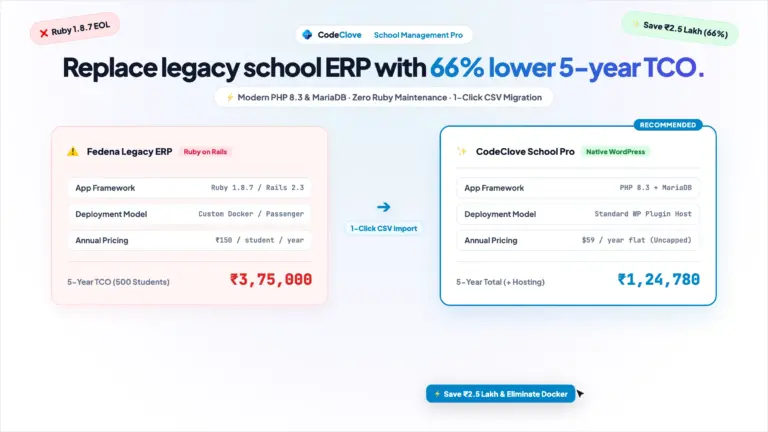
| Operational Area | Manual Spreadsheets & Paper Slips | Proprietary SaaS (PowerSchool / Blackbaud) | CodeClove School Management Pro (WordPress) |
|---|---|---|---|
| Annual Software Cost | $0 direct software cost (high labor overhead) | $4,000 to $12,000+ per year (per-student pricing) | $59 per year flat (single site license) |
| Student & Record Limits | Limited by spreadsheet performance and errors | Tiered pricing caps; fees jump as enrollment grows | Unlimited students, guardians, and invoices |
| Staff Time Spent on Invoicing | 40 to 60 hours per term printing and reconciling slips | 5 to 10 hours per term | 5 to 10 minutes to review and issue session invoices |
| Parent Payment Experience | In-person office visits with cash, cheques, or bank drafts | Proprietary portal with forced convenience fees | Self-service portal via [codeclove_portal] with Stripe, PayPal, Razorpay, or UPI |
| Data Privacy & Host Control | Files stored across unencrypted staff desktop computers | Vendor-hosted; student financial records sit on third-party cloud | 100% self-hosted on your WordPress MySQL database; zero external tracking |
| Financial Math Precision | High risk of floating-point spreadsheet formula errors | Standard enterprise database precision | Minor currency unit storage (integers) preventing rounding errors |
For a school with 600 students charging quarterly fees, automating this workflow eliminates roughly 200 hours of redundant administrative paperwork every year.
Understanding fee architecture before you configure
Schools rarely bill a single flat tuition rate. A comprehensive school billing system must accommodate different types of charges, different schedules, and grade-specific costs. Before opening your WordPress admin screen, map your school charges into clear categories:
- Core Tuition: Recurring academic billing, charged monthly, quarterly, or term-wise.
- Facility & Lab Fees: Additional charges for science, computer, or robotics laboratories, usually billed annually or by semester to older grades.
- Transport & Bus Routes: Auxiliary charges applied only to students who ride school buses, often tiered by distance slabs.
- Examination & Board Fees: One-time or per-term charges for external board assessments or term exams.
- One-Time Admissions & Security Deposits: Non-recurring enrollment charges collected when a student joins the institution.
| Fee Category | Billing Frequency | Applicable Student Cohort | Default Grace Period | Ledger Treatment |
|---|---|---|---|---|
| Tuition Fee | Quarterly or Term-wise | All enrolled students | 10 business days | Operating revenue |
| Science & Computer Lab | Bi-Annual (Terms 1 & 2) | Middle and high school grades only | 15 business days | Departmental facility revenue |
| Transport Fee | Monthly or Quarterly | Opt-in bus riders only | 5 business days | Auxiliary transport service |
| Annual Development Fee | Annual (Term start) | All returning and new students | 30 business days | Capital improvements reserve |
| Admission Processing | One-time | New applicants converting to students | Immediate upon admission | Administrative enrollment fee |
In CodeClove School Management Pro, these templates are called Fee Types. Every fee type you define forms the basis for line items on student invoices.
Step 1: Define your fee types
Log in to your WordPress admin panel and navigate to Finance > Fee Types. Click Add Fee Type to define each recurring or one-time charge your institution levies.
For each fee type, fill in the following configuration fields:
- Name: Use explicit, parent-friendly labels such as “Primary Tuition Fee” or “Term 1 Science Lab Charge” rather than cryptic accounting codes.
- Code: A short identifier (like
TUIT-Q1orTRANS-SLAB1) used internally by accountants and reports. - Frequency: Select the recurrence pattern:
monthly,quarterly,term_wise,annual, orone_time. This controls billing cycles. - Default Amount: Enter the baseline charge in your school primary currency.
- Description: An explanatory note that appears on invoices and parent portal receipts (for example, “Quarterly academic instruction fee for the 2026-2027 academic session”).
Keep your fee types granular. Resist the temptation to combine tuition, laboratory fees, and activity charges into a generic lump sum. Granular fee types let you selectively apply fee waivers, audit transport revenue independently, and comply with tax or regulatory accounting rules.
Step 2: Set up class-specific fee rates
Tuition and lab costs inevitably differ across grade levels. Kindergarten students do not use high-school physics laboratories, and senior secondary students often require specialized elective resources. Creating a dozen duplicate fee heads (such as “Grade 1 Tuition”, “Grade 2 Tuition”, and “Grade 3 Tuition”) creates clutter and makes reports difficult to read.
CodeClove solves this through Per-Class Fee Rate Overrides. Under Finance > Fee Types, select an existing fee type and open its class rate matrix. The system displays your academic units (such as Grade 1 through Grade 12):
- Leave the default amount for standard grades.
- Enter specific override amounts for grades with higher or lower rates. For instance, set Grade 1 through Grade 5 tuition to $450 per quarter, Grade 6 through Grade 8 to $600 per quarter, and Grade 9 through Grade 12 to $750 per quarter.
- Save the configuration.
When the invoice engine resolves charges for any student, it queries the codeclove_fee_type_class_rates table first. If a specific class override exists for that student’s grade, it applies that rate. If no override exists, it defaults gracefully to the baseline amount. You manage one fee type instead of twelve.
Step 3: Connect admissions and student enrollments
Billing accuracy depends on maintaining an accurate student roster. When students register through the online application portal via the [codeclove_admission_form] shortcode (as outlined in our guide to managing school admissions in WordPress), accepted applicants convert directly into active student records.
During admission conversion, the student is linked to an active academic session, an academic unit (class or grade), and a section group. Because their class placement is recorded in the database, the finance module automatically knows which fee rates apply to that student without manual data entry.
For auxiliary charges like bus transport, staff can flag whether a student is enrolled in transport services directly from their student profile. When invoices are generated, the system checks auxiliary enrollments so day students who walk to school never receive transport charges.
Step 4: Issue itemized student invoices
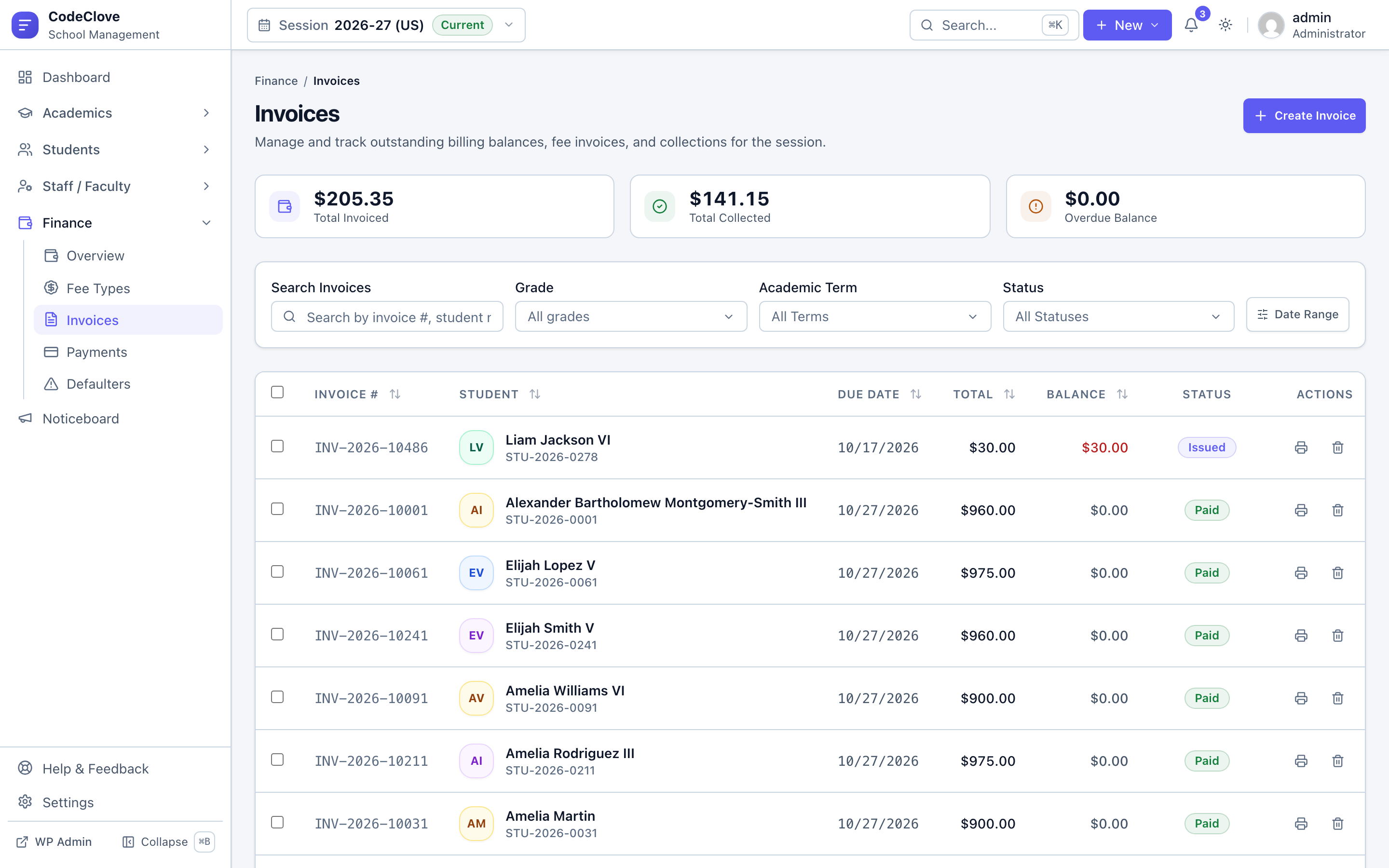
With fee types and class rates established, head to Finance > Invoices. Administrators can review draft statements, inspect student billings, and issue finalized invoices.
When creating or issuing an invoice, the system compiles:
- Student Metadata: Full name, student roll number, academic session, grade, and parent contact information.
- Itemized Line Items: Every applicable fee type snapshot. Each line item records the fee type, description, quantity, unit rate, and any specific discounts.
- Invoice Balance Summary: Subtotal, total discounts, tax (if applicable), total amount due, and current payment balance.
- Due Date: The payment deadline, which feeds directly into overdue tracking algorithms.
Line items in CodeClove are immutable snapshots. If your school board votes in June to raise tuition rates for the upcoming academic year, editing the fee type will never retroactively alter past invoices issued in March. Historical financial records remain accurate and intact for external audits.
Step 5: Enable the parent portal for self-service bill review
Printing hundreds of paper invoices and distributing them in backpacks is an unreliable way to collect funds. The easiest way to accelerate collections is giving parents transparent access to their financial standing from home.
CodeClove includes a dedicated parent and student portal. Place the [codeclove_portal] shortcode on any WordPress page (for detailed layout guidance, read our post on building a responsive parent portal in WordPress). Parents log in securely using their assigned guardian credentials.
Inside the portal, the finance tab gives parents immediate visibility into their financial status:
- A clean summary card highlighting total fees billed, total payments credited, and net balance currently due.
- An itemized ledger of active invoices showing exact line items, so parents know exactly what they are paying for.
- Direct payment receipts available for instant browser viewing and printable download.
- Clear notification flags indicating whether an invoice is unpaid, partially paid, or approaching its due date.
By giving parents on-demand access to statements and receipt histories, your administrative staff will no longer spend hours answering balance inquiries over the phone.
Step 6: Accept online payments and reconcile counter collections
Every school serves a mix of families. Some parents expect to pay online using mobile payment apps, while others prefer paying in cash or writing a physical cheque at the school office. Your software must accommodate both workflows without creating two separate ledgers.
Online Gateway Checkout:
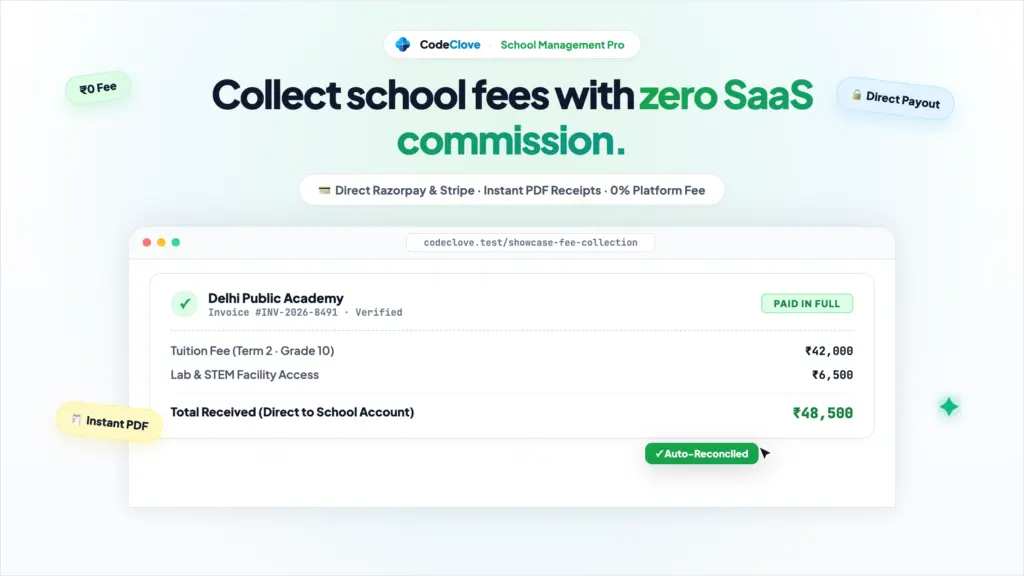
CodeClove School Management Pro supports direct online payment gateways, including Stripe (for credit cards, Apple Pay, and Google Pay worldwide), PayPal (for international student families), and Razorpay with instant Indian UPI and net banking support. When a parent completes payment through the portal, gateway webhooks notify your WordPress installation. The system marks the payment status as completed, deducts the paid amount from the invoice balance, and issues a verified digital payment number automatically.
Office Counter Collections:
When a parent walks into the front office with cash, a cheque, or a bank transfer receipt, staff navigate to Finance > Payments and click Record Payment. Staff select the invoice, enter the amount received, select the payment method (cash, bank transfer, cheque, upi, or card), and enter the bank instrument reference number. The invoice updates instantly, preventing duplicate payments.
Every recorded payment generates an official, printable payment receipt sheet that staff can hand to the parent or that parents can view anytime in their portal.
Step 7: Automated fee reminders and SMS alerts
Even with self-service statements, parents lead busy lives and forget deadlines. Chasing late payments does not require your bursar to spend hours making uncomfortable phone calls.
CodeClove School Management Pro integrates directly with global and regional SMS notification gateways, including Twilio, Vonage, Fast2SMS, and MSG91. You can configure automated triggers to alert parents at strategic points during the billing cycle:
- Issue Alert: Sent when new term invoices are published, listing the total amount due, invoice reference number, and due date.
- Upcoming Due Alert: Sent three days before the deadline as a friendly reminder to settle pending balances.
- Overdue Payment Notice: Dispatched immediately when an invoice passes its due date without full settlement.
SMS notifications have an open rate above 95%, making them far more effective than printed notices sent home with young students. Because every notification dispatch is logged with timestamps, your front office retains an indisputable communication record if a family ever claims they were never notified.
Step 8: Defaulter tracking and financial reporting
To keep the school budget healthy, administration must know who owes money at any given moment. Sifting through hundreds of paper records to find overdue balances is inefficient and prone to error.
Navigate to Finance > Defaulters Report (located at /finance/reports/defaulters). This dedicated report provides an immediate, real-time audit of overdue accounts:
- Filter balances by academic session, grade, or specific section.
- Review student names, guardian phone numbers, invoice dates, original amounts, and outstanding balances.
- Sort by days overdue to prioritize accounts that require direct administrative follow-up.
- Export full transaction ledgers and defaulter summaries to CSV files with one click for school board meetings and external accounting audits.
The main Finance Dashboard provides high-level executive cards showing total billed revenue, total collected funds, outstanding receivables, and collection rates across the current fiscal term.
Handling complex edge cases in school billing
School finance is full of special situations. Simple eCommerce plugins and generic invoice templates struggle when school-specific scenarios arise. Here is how CodeClove handles real-world edge cases:
1. Mid-year student admissions
When a student joins the school in November, halfway through the academic session, they should not be billed for April through October tuition. When generating their initial invoice, staff adjust line items to include only the remaining terms or prorated instructional weeks, alongside one-time admission fees.
2. Sibling discounts and merit scholarships
Many private schools offer tuition reductions for second and third siblings, children of staff members, or merit scholars. CodeClove supports item-level and invoice-level discounts with explanatory notes. You can discount tuition by 20% while keeping lab fees and bus fees at full price, maintaining a crystal-clear audit trail for bursars and auditors.
3. Split installment and partial payments
Parents often cannot afford to pay an entire annual fee upfront. If a parent brings half of a term fee this week and promises the remainder next month, staff record the partial payment. The invoice status transitions from issued to partially_paid. The portal displays the remaining balance due, and overdue alerts calculate only against the remaining unpaid sum.
4. Cheque returns and payment reversals
If a bank returns a deposited cheque for insufficient funds, deleting the transaction destroys the audit trail. In CodeClove, staff cancel or reverse the payment record with a documented cancellation reason. The invoice balance is reinstated immediately, and the transaction log preserves the event for reconciliation.
Frequently asked questions about WordPress school fee collection
Can parents pay fees online using credit cards, UPI, or PayPal?
Yes. CodeClove School Management Pro supports Stripe for international credit cards, Apple Pay, and Google Pay, PayPal for cross-border tuition payments, and Razorpay for Indian UPI, net banking, and domestic debit cards. Payments complete with automated webhook verification and instant receipt generation.
How does the plugin prevent floating-point rounding errors on fee totals?
CodeClove stores all financial values in dedicated MySQL tables using minor currency units (such as cents or paise stored as integers). Calculations avoid floating-point math entirely, ensuring that multi-line invoices and partial payments balance down to the exact penny every single time.
Can administrative staff record walk-in cash and paper cheque payments?
Yes. The bursar or front-office accountant can record manual offline transactions under Finance > Payments. You select the student invoice, specify the payment method (cash, cheque, bank transfer, or draft), enter the instrument reference number, and instantly print an official numbered payment receipt.
Does student financial data get sent to external third-party cloud servers?
No. CodeClove is 100% self-hosted on your own WordPress server and MySQL database. There are no tracking scripts, no Google Fonts calls, and no external data feeds. Your student demographic details and family financial records stay completely under your school control.
Can we assign different fee amounts to different grades without duplicating fee heads?
Yes. Using the Per-Class Fee Rate Overrides feature, you define a single fee type (like Tuition Fee) and customize the exact amount charged for each grade level in a single matrix table. Invoices automatically apply the correct rate based on the student enrolled class.
Upgrade your school billing this week
Managing school finances does not require five-figure enterprise contracts or endless hours of manual spreadsheet bookkeeping. The tools to automate your fee runs, give parents self-service portals, and track overdue receivables exist inside WordPress.
You can start with the free edition of CodeClove School Management on WordPress.org for core student records, offline invoicing, and admissions. When you are ready for online payment gateways (Stripe, PayPal, Razorpay, UPI), automated SMS fee alerts, revenue analytics, and defaulter tracking, upgrade to CodeClove School Management Pro for $59 (Single Site), $109 (5 Sites), or $179 (Unlimited Sites).
Test the full system yourself on our live interactive sandbox demo. If you have questions about configuring custom fee structures for your school, send our team a message. We answer every inquiry directly.