Table of Contents
The admission season problem
Every year between January and April, school offices turn into paper factories. Parents fill out physical forms by hand. Office staff re-type that information into spreadsheets. Someone prints a master list, someone else misplaces a folder, and a third person creates a second spreadsheet because the first one had broken formulas. By the time decision letters go out, front office teams have burned hundreds of hours on manual data entry that a relational database handles in seconds.
Many independent and private schools turn to education SaaS providers such as Classter, Gradelink, Blackbaud, or PowerSchool to stop the spreadsheet chaos. These platforms work, but their pricing models penalize your growth. Most charge recurring annual contracts between $6 and $15 per student per year, or monthly subscription fees ranging from $300 to $700 every single month for a 500-student school. Add mandatory onboarding packages of $1,500 or more, and a mid-sized school easily spends $4,000 to $9,000 in year one alone. Over five years, that totals $18,000 to $45,000 for software that locks your records in a proprietary cloud. The moment you cancel your subscription, you lose access to your historical admission records.
There is a practical alternative that most school administrators overlook: running your entire admission and enrollment pipeline on your own WordPress site. No per-student licensing fees. No monthly renewals. Zero vendor lock-in. You keep complete ownership over every applicant record directly inside your own database.
This guide demonstrates how to set up an end-to-end admission workflow using CodeClove School Management Pro, our self-hosted education management plugin for WordPress.
What a complete school admission pipeline requires
Managing admissions involves more than publishing a basic contact form. A working admission pipeline requires seven interconnected capabilities:
- A public application form: A responsive online form that parents complete on any phone, tablet, or desktop without needing an existing student account.
- A pre-application inquiry form: A lightweight intake form for prospective families with questions about tuition, curriculum, or campus tours.
- Applicant pipeline tracking: Clear pipeline stages so administrators monitor submissions, reviews, interviews, and enrollment offers.
- Self-service status lookups: A public tracker where parents check their application status using a reference number, eliminating repetitive phone calls to the office.
- Administrative document checklists: Verification tracking for birth certificates, transfer certificates, immunization records, and prior report cards.
- Decision workflows and alerts: Fast status updates with automated email and SMS notifications sent directly to parents.
- Direct student record conversion: A single-action transfer that converts accepted applicants into active students with roll numbers, guardian profiles, and class section assignments without manual re-typing.
| Workflow Stage | Paper and Spreadsheets | Commercial SaaS ($6-$15/student/yr) | CodeClove School Management Pro ($59 One-Time) |
|---|---|---|---|
| Form Intake | Paper forms or generic Google Forms with manual data transcription | Vendor-hosted portal with per-student annual fees | Native responsive form on your WordPress domain via [codeclove_admission_form] |
| General Inquiries | Loose emails, sticky notes, and unrecorded phone inquiries | Inquiry module, often sold as a higher pricing tier | Dedicated public intake form via [codeclove_inquiry_form] |
| Status Tracking | Highlighter pens and manually maintained spreadsheet columns | Proprietary vendor workflow | Multi-stage pipeline dashboard with automated status event audit logs |
| Parent Status Checks | Dozens of daily inbound phone calls to the front desk | Vendor portal requiring mobile app downloads and accounts | Instant self-service status tracker via [codeclove_application_status] |
| Document Verification | Paper copies stuffed into binders or scattered cloud folders | Cloud storage with strict tier-based file limits | Configurable verification checklists and audit tracking in your WordPress admin |
| Parent Notifications | Manual phone calls or individual drafted emails | Automated notifications with third-party vendor branding | Automated white-label email templates and multi-gateway SMS (Twilio, Vonage, Fast2SMS, MSG91) |
| Student Conversion | Re-typing applicant details line by line into master rosters | Automatic within closed vendor ecosystem | One-click atomic conversion to student profile, guardian links, section, and roll number |
Spreadsheet workflows handle intake poorly, omit status tracking, and collapse during the conversion phase. Commercial SaaS covers these steps but extracts recurring fees every month. CodeClove School Management Pro provides the full workflow for a one-time $59 license.
Step 1: Install CodeClove School Management and choose your country preset
Install CodeClove School Management like any WordPress plugin: upload the plugin files, activate the license, and open the setup wizard. The first screen asks for your regional education preset.
This setting configures regional terminology across your entire school site:
- India (CBSE/ICSE): Uses the term “Admission”, configures academic sessions starting in April (explained in our detailed guide on CBSE and ICSE academic session setup), and arranges classes from Nursery through Class 12 with section and roll number tracking.
- United States (K-12): Uses the term “Enrollment”, configures academic years running August through May, and organizes grades from Pre-K through Grade 12 with student identification numbers.
- United Kingdom (Key Stages): Configures Key Stages (Reception through Year 13), British date formats, and UK school terminology.
Selecting your preset immediately aligns class names, date formats, and status labels with what your parents and staff expect. You can adjust individual settings later under Settings > Region & Language.
Step 2: Configure academic sessions, classes, and sections
Before publishing an admission form, CodeClove needs to know which academic term you are admitting students into. Go to Academics in your WordPress dashboard.
First, create your active Academic Session (for example, “2026-2027”) and mark it as the current session. Next, define your class units (such as Class 1, Class 2, or Grade 9). Within each class, add your sections (Section A, Section B) along with their student seat capacity.
This structure matters because the public admission form pulls active classes directly from your current academic session. When prospective parents select a grade on the application form, they choose from your live academic structure.
Step 3: Embed the public admission and inquiry forms
CodeClove includes standalone shortcodes that embed directly into any page built with the block editor, Elementor, or classic WordPress themes. Create a new page titled “Apply for Admission” and insert the admission form shortcode:
[codeclove_admission_form]If you prefer a wider layout for full-width landing pages, use the optional width attribute:
[codeclove_admission_form width="wide"]The form renders a clean, mobile-responsive layout that collects complete applicant information:
- Student Information: First name, last name, date of birth, gender, previous school attended, and last grade completed.
- Class Selection: A dropdown list populated dynamically from your active academic session.
- Parent and Guardian Contacts: Full names, mobile phone numbers, email addresses, and occupations for both father and mother, or legal guardian details.
- Primary Communication Preference: Parents select whether school updates should route to father, mother, or legal guardian.
- Residential Address: Street address, city, state, postal code, and country.
- Applicant Notes: Medical considerations, special requirements, or questions for the admissions committee.
For parents who are not yet ready to submit a formal application, publish a separate page titled “Admissions Inquiry” using the lightweight inquiry shortcode:
[codeclove_inquiry_form]This displays a compact inquiry form focused on introductory questions about curriculum, school tours, and fee schedules. Inquiries route directly into your Admissions dashboard with an “Inquiry” status so your staff can follow up promptly.
To control when submissions are accepted, open Settings > Admissions in your dashboard. Toggle the “Enable Public Admission Form” switch on when admissions open, and switch it off when your intake period closes. When disabled, visitors see a clear notice that admissions are currently closed.
Step 4: Set up self-service application tracking for parents
During peak admission months, front office phones ring continuously with the same inquiry: “Did you receive our application? What is our status?”
CodeClove resolves this with a dedicated self-service status tracker. Create a page titled “Check Application Status” and add the tracker shortcode:
[codeclove_application_status]When a parent submits an application, the system generates a unique reference code (such as APP20260001). On the tracking page, the parent enters their reference code along with the student date of birth. The tracker verifies the record and displays a visual progress bar:
Received → Screening → Assessment → Review → Decision
The tracker shows whether the application is under review, scheduled for an interview, approved, or enrolled. It displays public status updates while keeping internal staff notes private.
Alongside the public tracker, CodeClove automates direct communications:
- Email Notifications: When parents submit the form, CodeClove sends an immediate confirmation email containing their reference number and next steps. When administrators update the application status, the system sends an updated notification. You can edit email templates under Settings > Notifications.
- SMS Alerts: CodeClove School Management Pro includes direct SMS integration with Twilio, Vonage, Fast2SMS, and MSG91. In regions where parents prioritize text messages over email, sending instant SMS alerts on status updates prevents missed interview dates and overdue fee deadlines.
Step 5: Review submissions and manage the pipeline
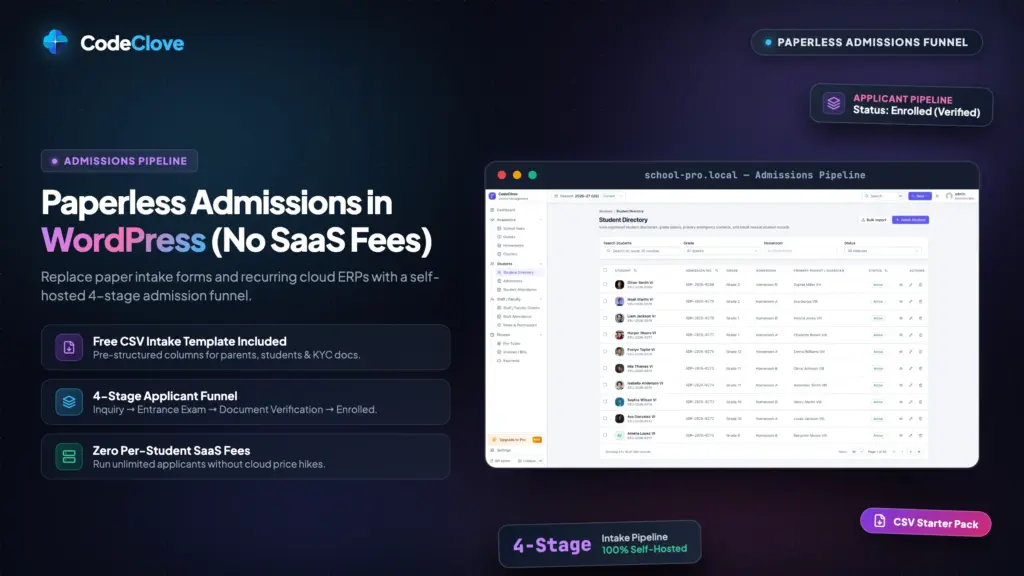
As submissions arrive, they populate the Admissions dashboard inside your WordPress admin. The dashboard organizes applications into distinct pipeline stages:
- Inquiry: General prospective student inquiry submitted through the inquiry form.
- Submitted: Complete application received online, awaiting initial office review.
- Under Review: Staff is evaluating transcripts, age eligibility, and academic history.
- More Info Needed: Additional details or clarifications requested from parents.
- Interview Scheduled: Student assessment or parent interview date confirmed.
- Accepted: Formal offer of admission extended to the student.
- Waitlisted: Class capacity reached; applicant held on the priority waitlist.
- Rejected: Application declined by the admissions board.
- Admitted: Student officially converted into an active enrolled student record.
- Withdrawn: Application canceled by the parent.
Administrators can filter records by academic session, grade level, status, or date range. Selecting an applicant displays their full application profile, guardian contacts, and chronological status history.
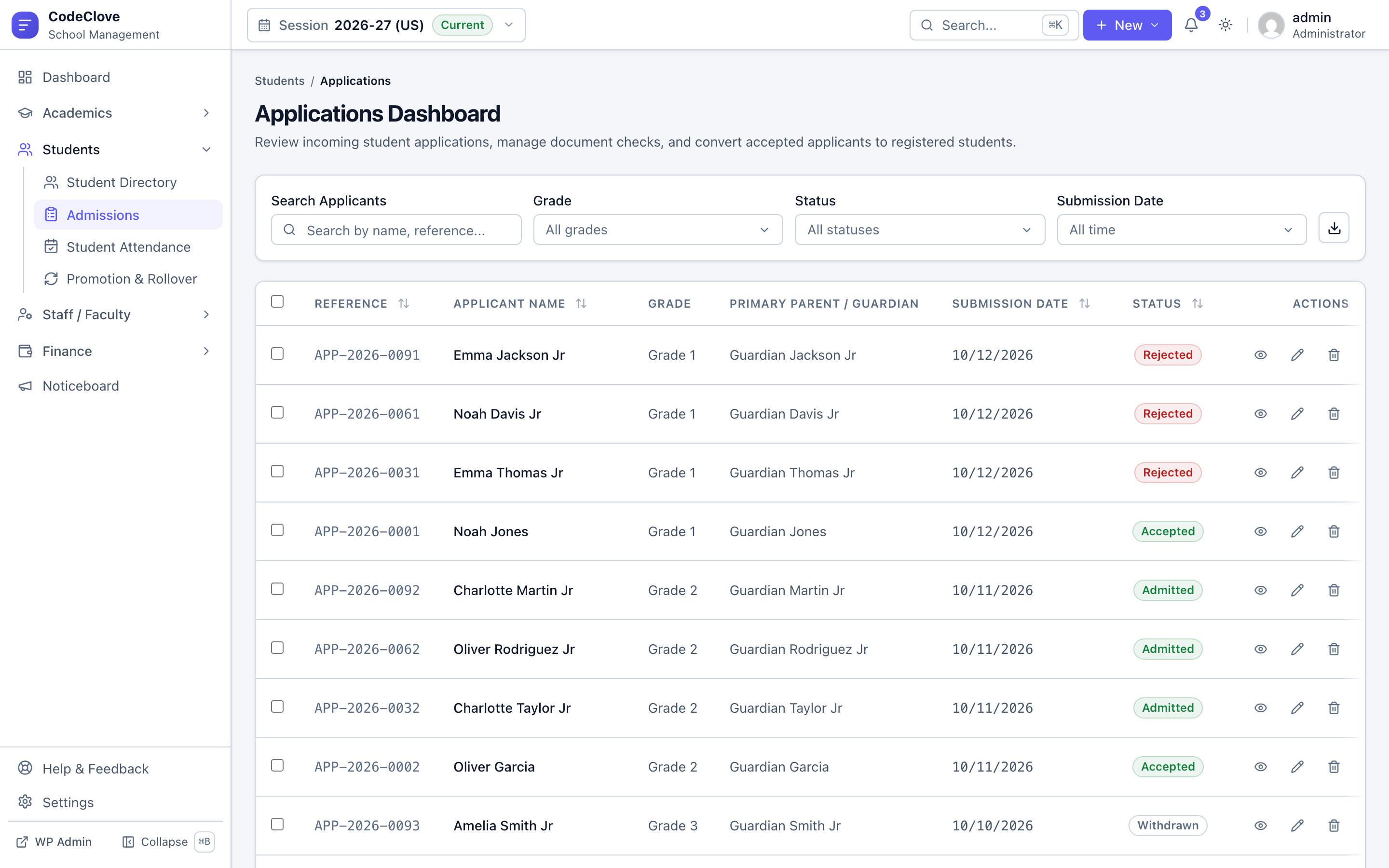
To verify physical documentation (such as government birth certificates, transfer certificates, or medical clearance records), configure your required document list under Settings > Admissions. Staff check off verified records during the review and interview phase, keeping a clear audit trail directly on the applicant record.
When reviewing full cohorts, staff do not need to process applications one by one. The admissions dashboard supports bulk updates. Select thirty Class 1 applicants, choose “Interview Scheduled” or “Accepted”, enter an administrative note, and apply the status update across all selected records in one operation.
Step 6: Convert accepted applicants into enrolled student records
The breaking point of paper and spreadsheet systems is the handoff between admissions and enrollment. Once fifty applicants are accepted, staff spend days copying names, dates of birth, parent contact details, and addresses into class rosters. Typos multiply, phone numbers get transposed, and emergency contacts get omitted.
CodeClove School Management Pro eliminates manual transcription through an atomic conversion action. When you open an accepted application (or select multiple accepted applicants in bulk) and select “Convert to Student”, the system completes the entire enrollment process in a single database transaction:
- System Identifiers: CodeClove generates an official student number and admission number according to your configured format rules in Settings > ID Formats.
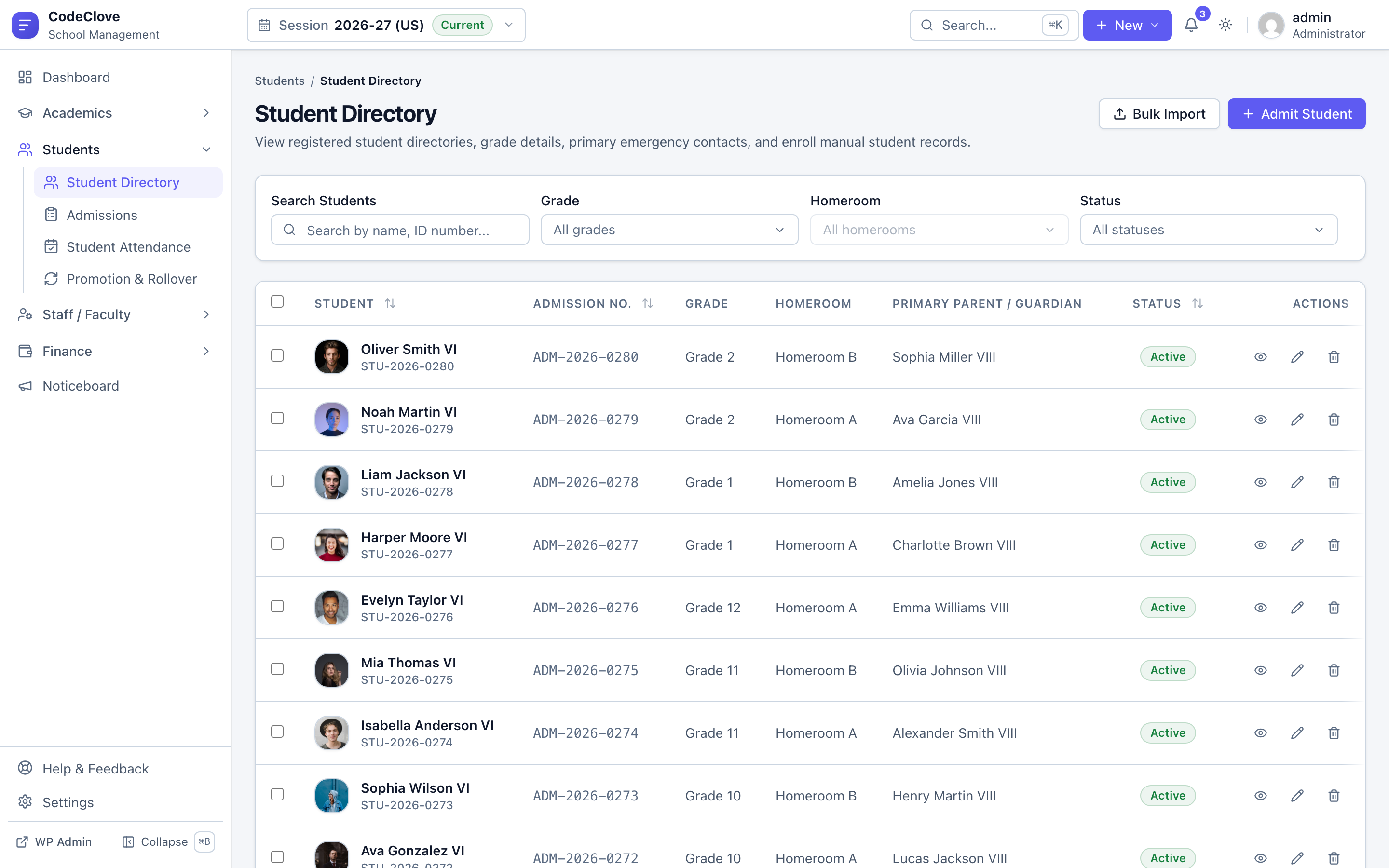
- Student Profile: The system creates an active record in the student directory containing full names, date of birth, gender, and residential address.
- Guardian Profiles: The engine parses the father, mother, or guardian details from the application, generates separate profiles in the guardians directory, and links them to the student record with primary contact and billing flags.
- Enrollment and Roll Number: The system places the student into the designated academic session, class level, and section. It calculates current class enrollment and issues the next sequential roll number automatically (such as
R01,R02). - Audit Linkage: The original application status updates to “Admitted”, storing foreign key references to the new student record and enrollment entry for permanent record tracking.
Once converted, the student immediately appears in your active attendance sheets, report card rosters, and billing ledger. From there, you can issue enrollment fee invoices using automated school fee collection, and grant parents secure access through the [codeclove_portal] student and parent portal.
Download Student Admission & Enrollment CSV Template
Pre-formatted starter CSV with roll numbers, guardian contacts, grade identifiers, and validation headers. Ready for instant batch import into WordPress.
Data privacy, role permissions, and multi-school networks
School admissions data contains sensitive personal records, child birth dates, and family financial details. Storing this information on third-party SaaS servers creates compliance exposure under privacy regulations like FERPA in the United States and regional data protection mandates globally. When you run CodeClove on your own self-hosted WordPress server, your student records remain entirely within your infrastructure.
Inside your administrative team, staff access should follow the principle of least privilege. An admissions coordinator needs to review applications, schedule interviews, and convert accepted students, but should not inspect staff salaries or school-wide financial ledgers. CodeClove includes over 60 granular permissions. You can assign permissions like admissions.view, admissions.edit, admissions.approve, and admissions.convert to your admissions team while restricting financial and administrative modules to bursars and principals.
For organizations operating multiple school campuses, WordPress Multisite allows each branch to run its own isolated admissions pipeline. Each campus maintains independent application forms, class structures, and staff accounts, while central leadership maintains administrative oversight from the network dashboard without risk of cross-campus data mixing.
The financial comparison: Real school numbers
Consider the five-year technology budget for an independent school with 500 enrolled students processing 120 new applicants each year.
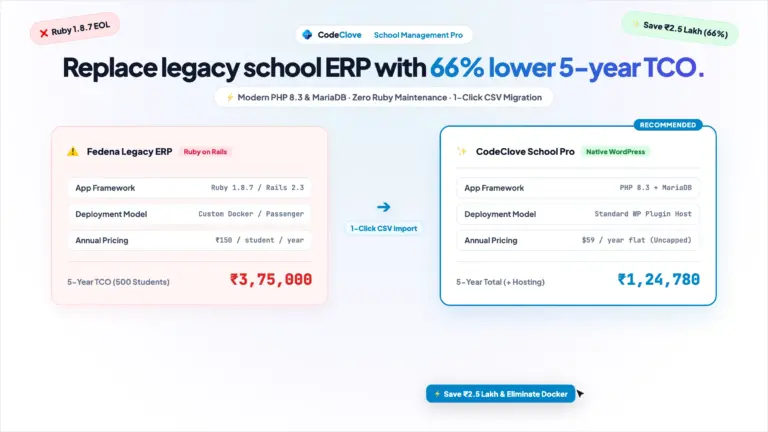
Commercial Education SaaS (Classter, Gradelink, Blackbaud):
- Annual per-student licensing fee ($8 per student per year): $4,000 per year ($20,000 over five years)
- Setup, data migration, and staff training fees: $1,500 one-time
- SMS gateway markup and add-on fees: $300 per year ($1,500 over five years)
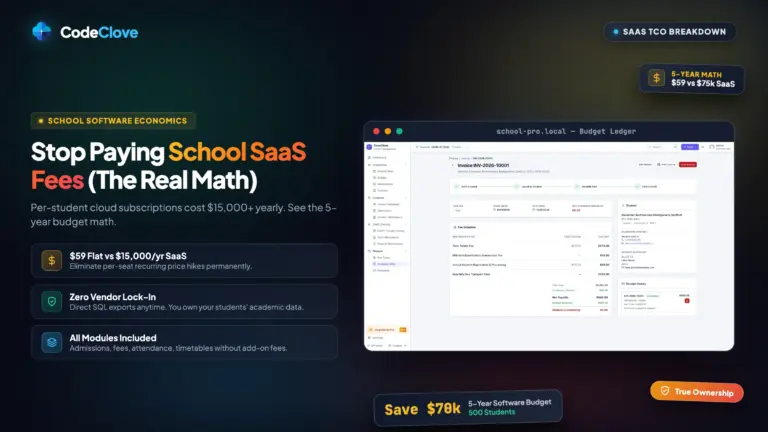
- Total Five-Year SaaS Cost: $23,000
Self-Hosted CodeClove School Management Pro:
- CodeClove School Management Pro license: $59 one-time (Single Site) or $109 (5 Sites)
- Reliable managed WordPress hosting ($15 per month): $180 per year ($900 over five years)
- Direct SMS credits via Twilio or Fast2SMS at wholesale rates: $60 per year ($300 over five years)
- Onboarding and software setup costs: $0
- Total Five-Year CodeClove Cost: $1,259
The difference is more than $21,000 saved over five years. That capital stays in your school budget to fund classroom equipment, teacher compensation, and academic programs instead of paying software subscription overhead.
Frequently asked questions about WordPress school admissions
Can parents check their application status without calling the school office?
Yes. Publish the [codeclove_application_status] shortcode on a public page. Parents enter their reference number and the student date of birth to view their live application progress across each review stage.
What details does the online admission form collect?
The form captures student demographics (first and last name, date of birth, gender), grade applying for, previous school history, father and mother contact details, occupations, residential address, and family remarks. Physical documentation like birth certificates and transfer certificates are verified against administrative checklists during review.
How does converting an applicant to an enrolled student work?
When staff approve an application and click “Convert to Student”, CodeClove generates official student and admission numbers, creates separate student and guardian directory profiles, assigns class and section rosters, and issues the next sequential roll number in a single database transaction.
Can we accept pre-application inquiries from parents who are not ready to apply?
Yes. Embed the [codeclove_inquiry_form] shortcode to collect preliminary inquiries regarding tuition, tours, or curriculum. Inquiries appear directly in your Admissions dashboard with an Inquiry status for quick administrative follow-up.
Getting started
Try the Full School Management Dashboard in Real Time
Test the React frontend, review sample admissions, explore timetable generation, and view student profiles with pre-populated dummy data.
If your front office is still buried under paper packets, shared spreadsheets, or expensive SaaS software, you can move your entire intake workflow to WordPress today.
Get CodeClove School Management Pro for $59 and configure your admission pipeline this week. Run the setup wizard, select your country preset, and embed your first application form in less than thirty minutes.
We build CodeClove to give independent schools full ownership of their administrative infrastructure without recurring software taxes. If you need guidance during your setup, reach out to our team. We respond to every support inquiry directly.